

Devlog #8 - Scripting, wires upgrades, and the next big patch
A preview of the next version of the game, featuring scripting, voice chat, new wires features, performance improvements and more!



Hello fellow Brickadians! We've been super busy working on the next version of the game that will have scripting, voice chat, new wires features, performance improvements and more! But first, an announcement:
Brickadia is taking part in the Steam Spring Sale! The game will be 25% off all through the sale. If you want to pick the game up at our lowest ever price of $15, now is the time!
Overall Goals
Brickadia is a great building game, with some of the most robust and advanced tech powering it (in our opinion!) But with it's current feature-set, building is still the one primary way players play the game. It's very rare to see other kinds of servers beyond your classic freebuild server.
Our goal with EA3 is to turn Brickadia from one of the best building games ever to one of the best games ever for building and playing. In other words, give Brickadia gameplay!
We want you to be able to make tycoon games in Brickadia. We want you to be able to make Battle Royales in Brickadia. We want you to be able to make procedural dungeons in Brickadia. We want you to be able to make Prop Hunt. And Trouble in Terrorist Town. And deathruns. And so much more.
While some of these games sort of exist in the current version of Brickadia, they usually employ a ton of tricks and hacks. Most are unfinished due to a lack of tools to let creators cross the finish line.
Like last time, there is a lot we are doing. Let's talk about it!
Proximity Voice Chat
Brickadia will soon have proximity voice chat. Speak to your friends as you would in a Discord call, but in 3D space!
It will be highly configurable. Servers can enable and disable it, players can mute others, and it makes everything just a bit funnier.
New Wires Features
Everyone trying to use wires has the same three problems:
- Wire contraptions take up too much space.
- There is a lack of useful gates.
- They are super annoying to edit once they've been built.
Let's fix all of those at once!
Microchips
You'll soon be able to collapse your infinitely complex circuits into a single brick with Microchips. You can put a microchip anywhere: inside your arcade machine, inside your car, even inside another chip!
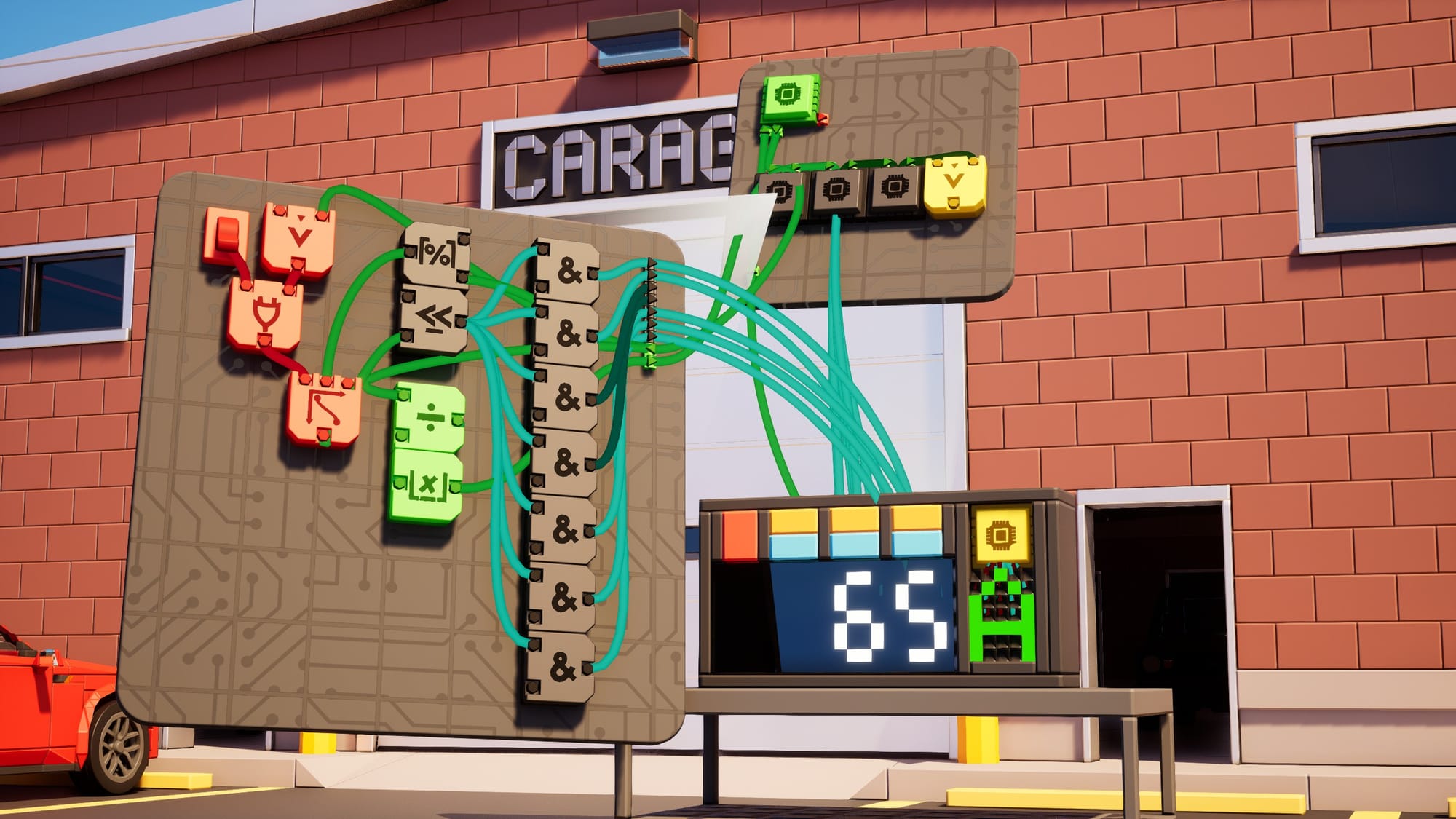
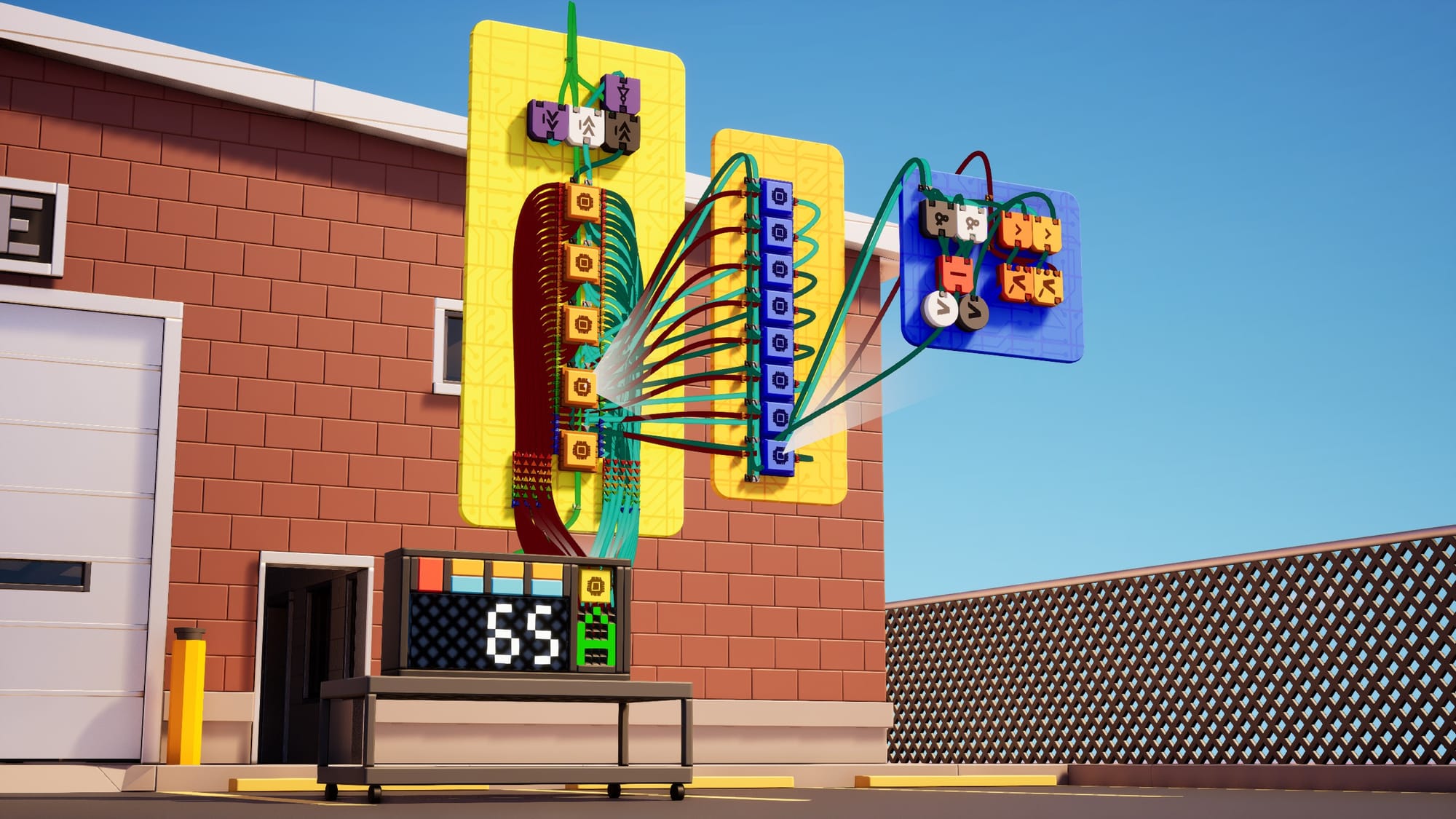
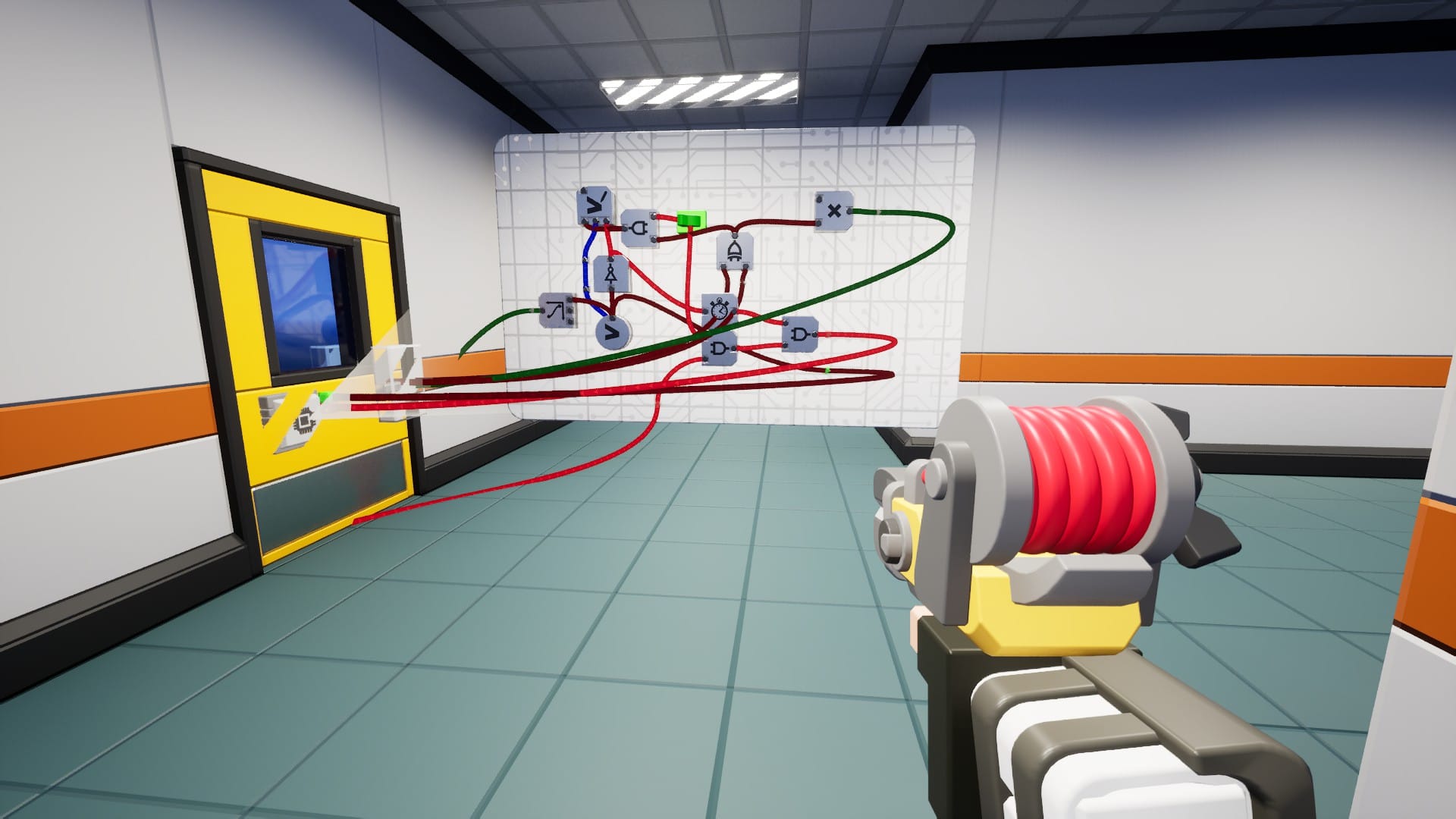
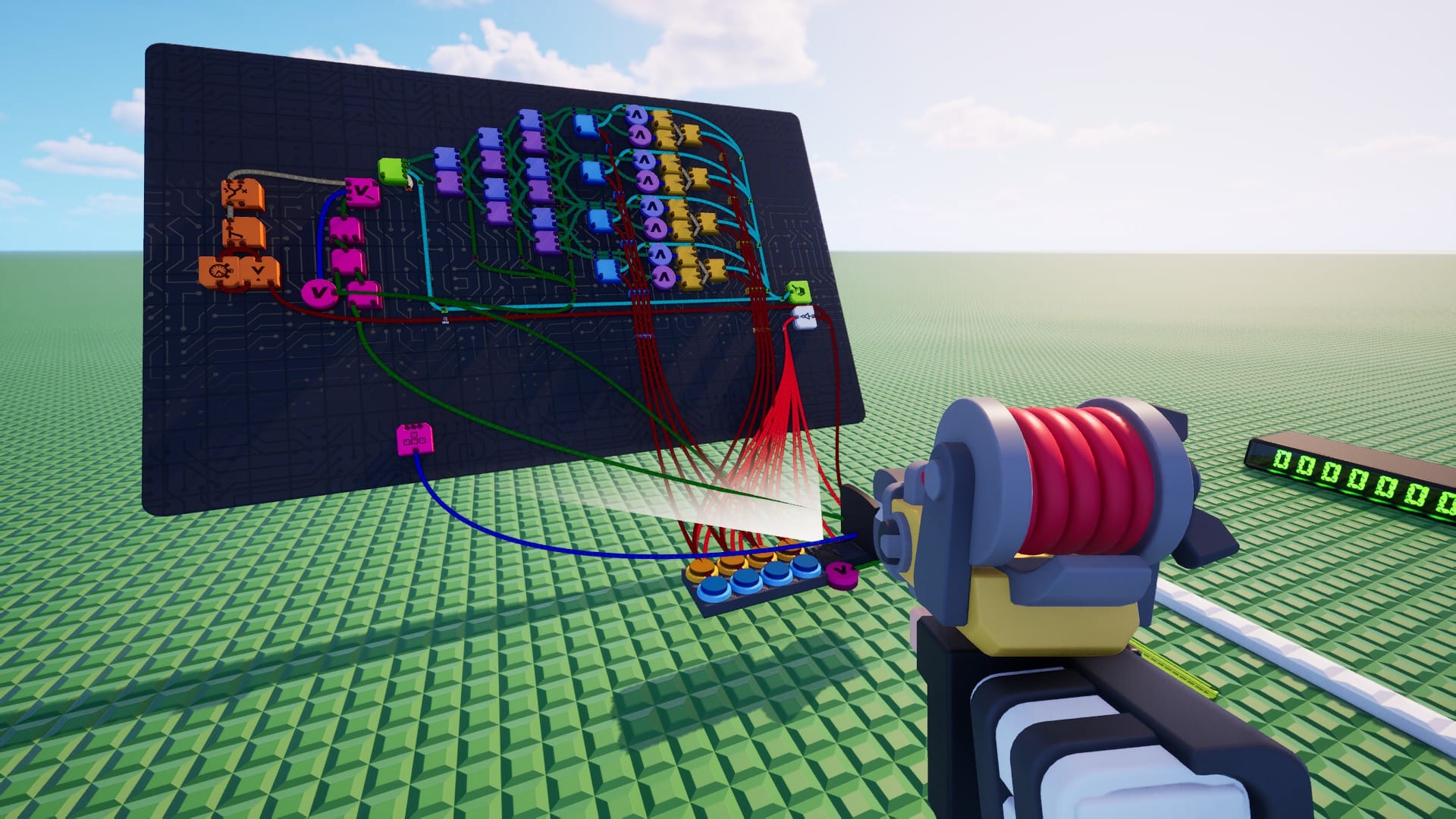
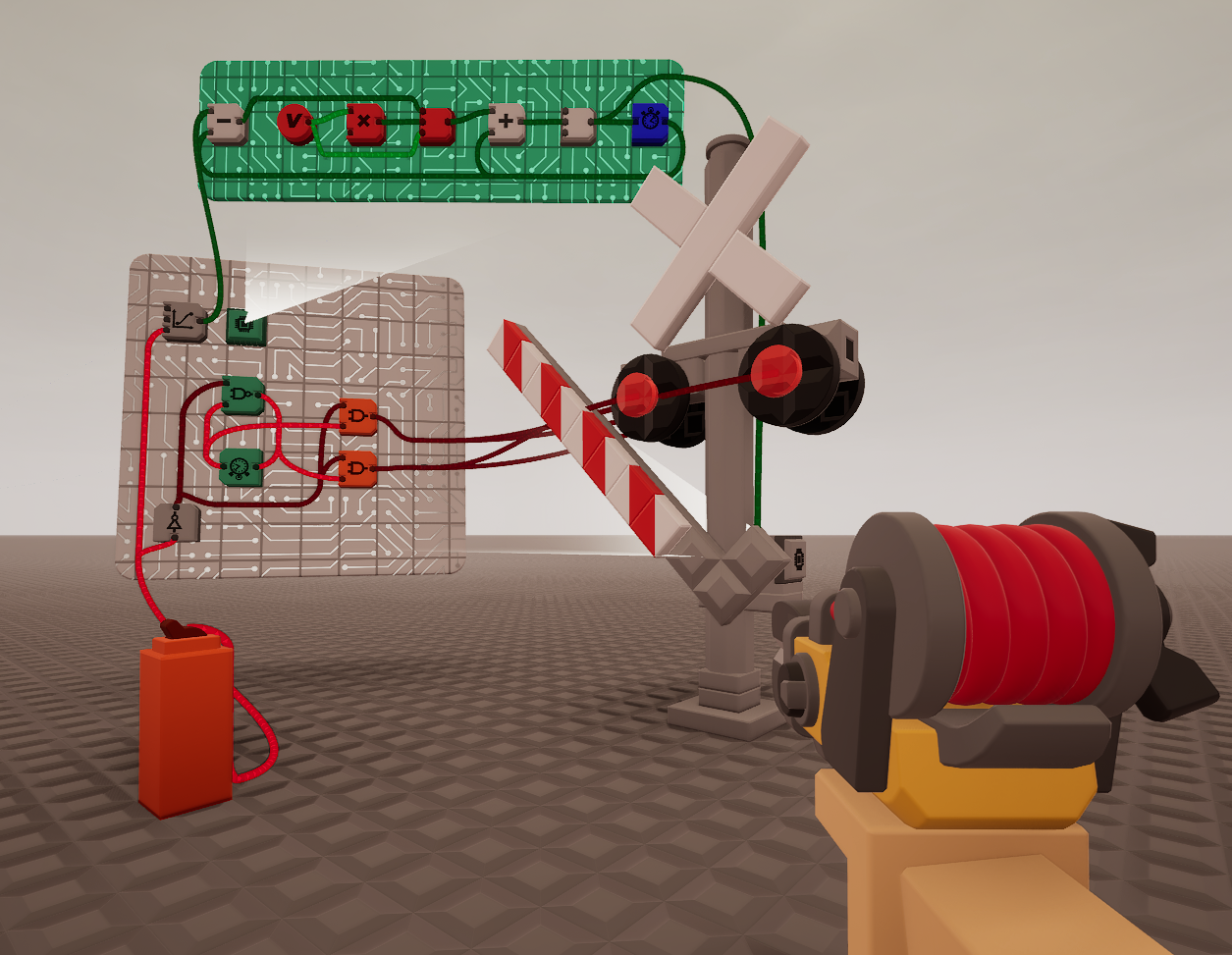
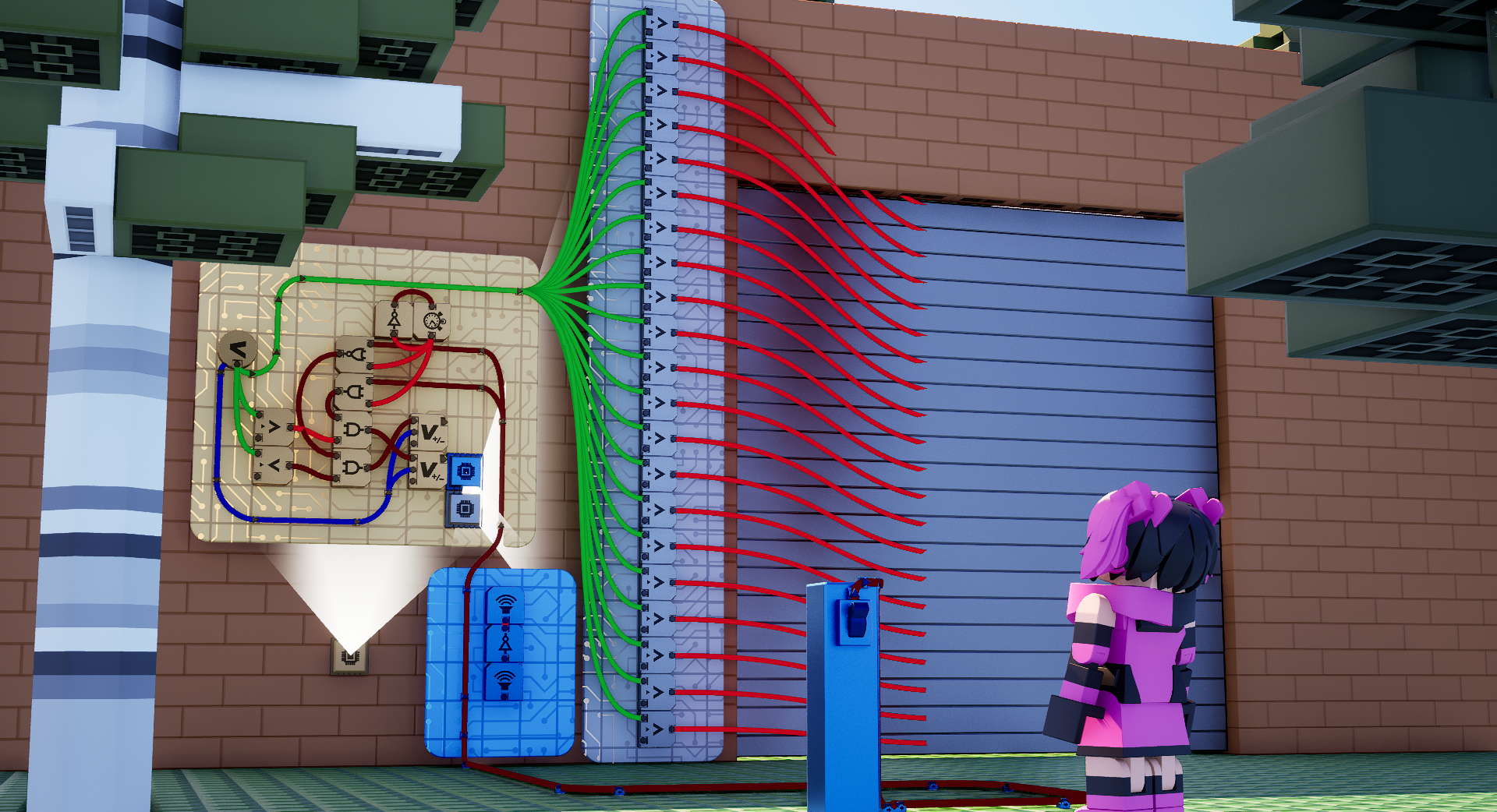
We are working on further features for microchips, like inputs and outputs, gamemode integration, and player microchips, prior to release. Stay tuned on this one! It's going to be big.
New Gates
We're adding a bunch of new gates to the game and have a bunch more on the way. Our focus with the gates we're adding is the same as it is for the update overall. We're fully invested in drastically increasing the scope of what Brickadia can do gameplay-wise.
One of the reasons we haven't added very many gates in the past few updates is because it actually involves quite a bit of stuff: Programming a gate involves quite a lot of boilerplate code, and art pass where the final gate was modeled by hand. Over the holidays, we've streamlined this!
We're now procedurally generating our gate models. This has allowed us to speed up our iteration times by decoupling the need for a gate model from the final art pass. We also decided to update the base model for gates to try and make it slightly easier to read connections and layers of gates. It now only requires us to manually add the icon to make the gate shippable!
Icons are now textured icons, rendered using an MSDF-encoded texture. No longer are the icons 3d modeled and baked into the gate mesh!
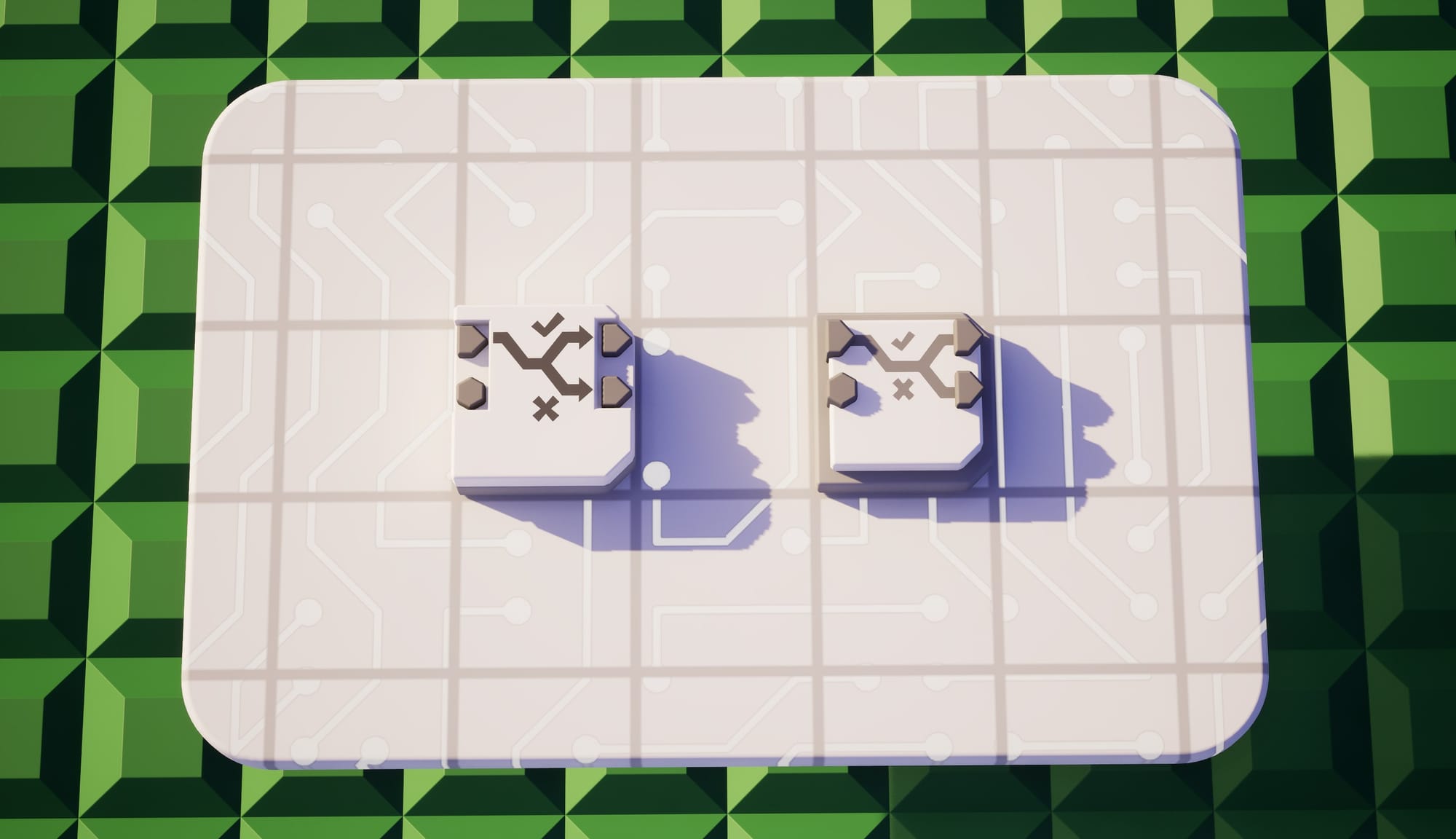
Vectors are now a supported wire type. All of the existing math gates will support it, and we're adding new gates to complement them!
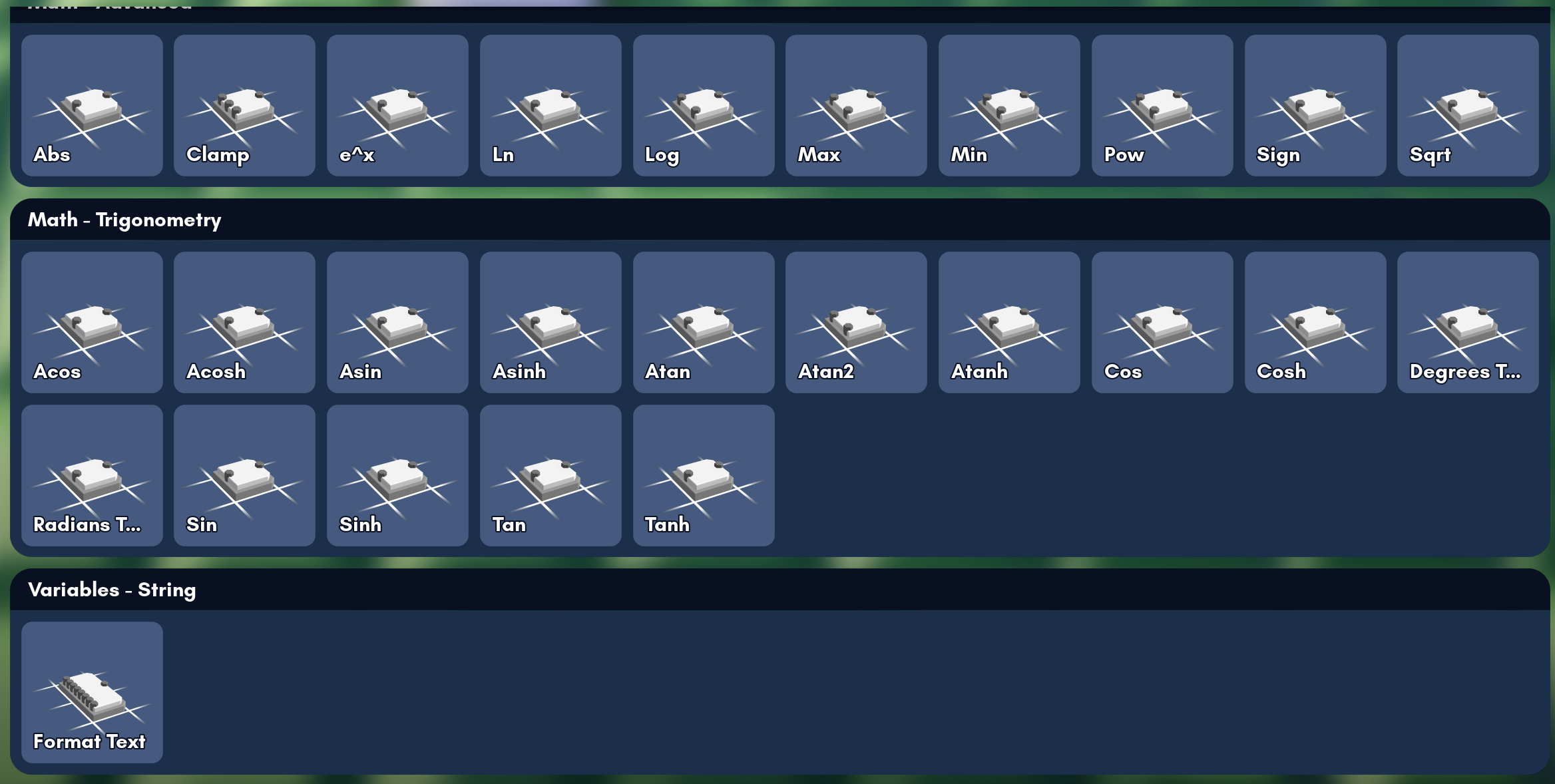
We're also finally adding support for strings! All of the existing gates that accept a text/string input will be upgraded to have a wire port for the field. We're also adding gates for manipulating strings: formatting, combining strings, etc. And of course, there will be new gates to display text, including one that will let you place text and icons anywhere on your HUD.
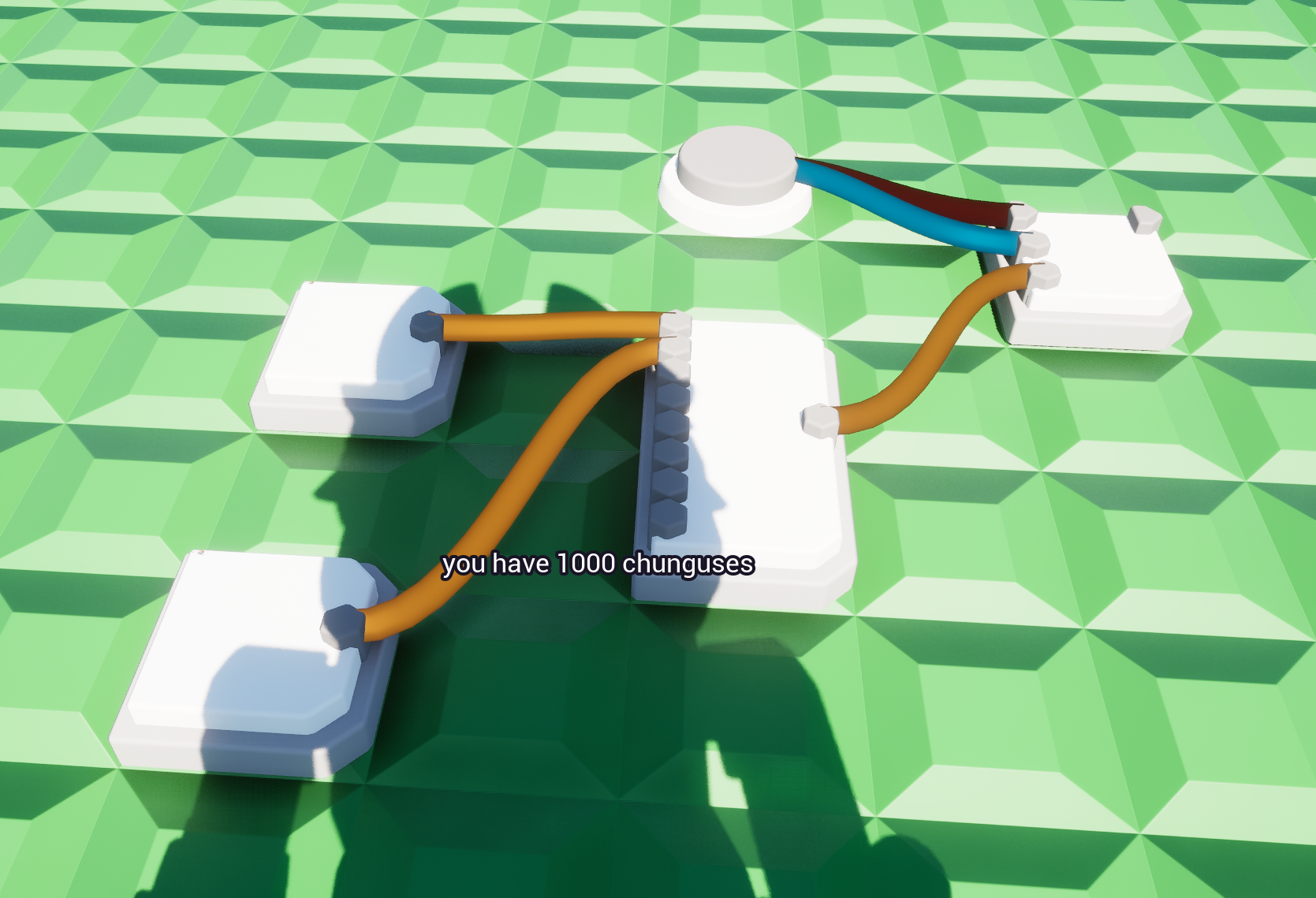
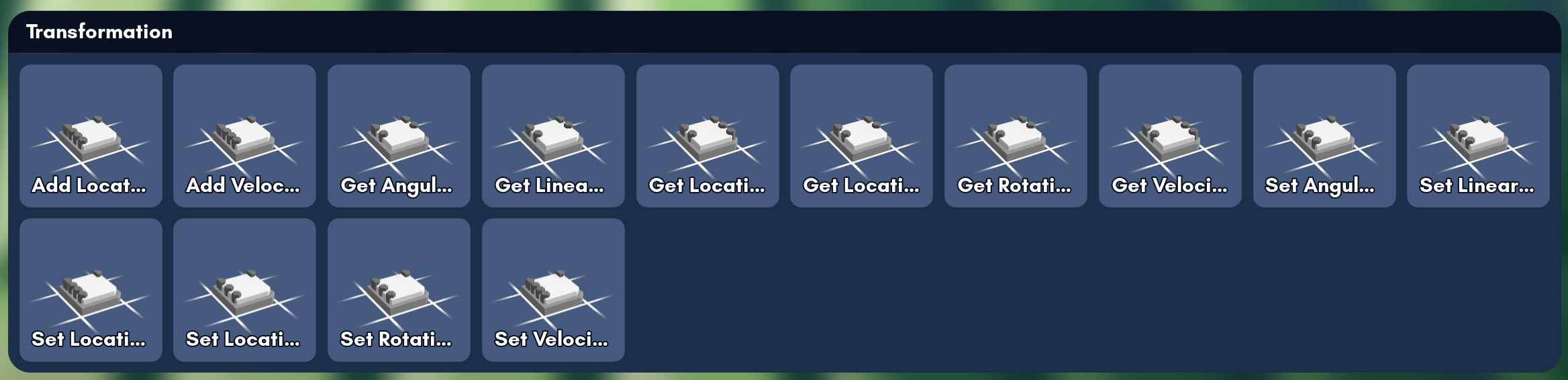
So far, a lot of the changes have been back-end changes, but we did still manage to cram in a few new gates. We still plan to add a huge number of useful gates before the update launches, so if you have any suggestions, please let us know through our usual channels!
Moving
The resizer will soon be able to move and rotate bricks. Meaning you can now move and rotate your gates without disconnecting the wiring:
You can even move multiple bricks around at once:
We hope this will make wiring a bit less painful than it is currently!
Scripting with Luau
Scripting has waited long enough, and is now officially in production! The next version of Brickadia will feature Luau, a high-performance scripting language, complete with a REPL accessible via chat and the console.
Luau scripting is intended to have a lot of control over the game. For that reason, we're gating script usage behind a special permission. It is also server-side only, but we will be augmenting it so you can do more client-specific tasks like UI. Worlds and Gamemodes can include scripts, and they can be shared on the Gallery.
This prototype version uses auto-generated bindings based on Unreal Engine's API, so there will be many changes to make scripting easier and friendlier.
Here's some things people have already done with our initial prototype!
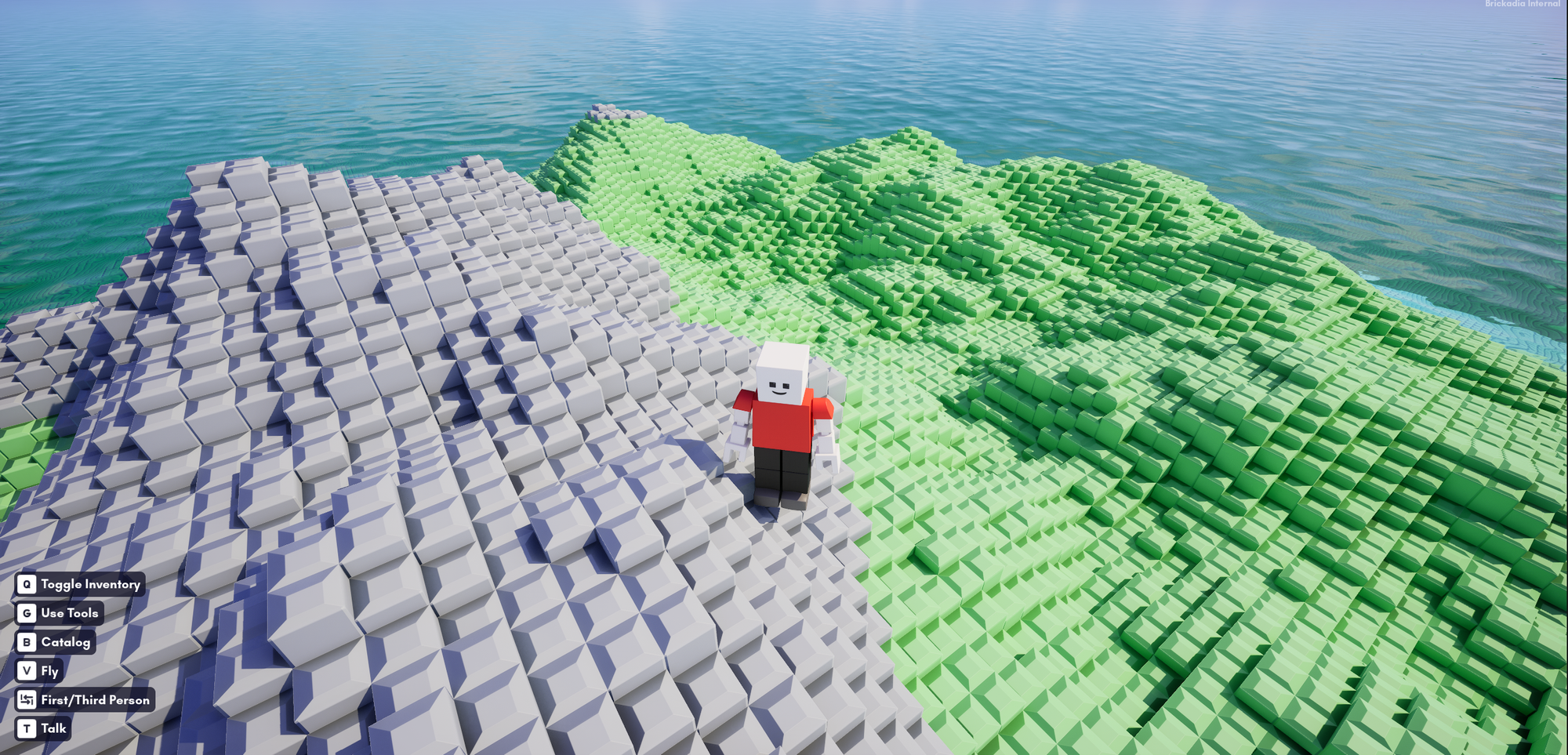
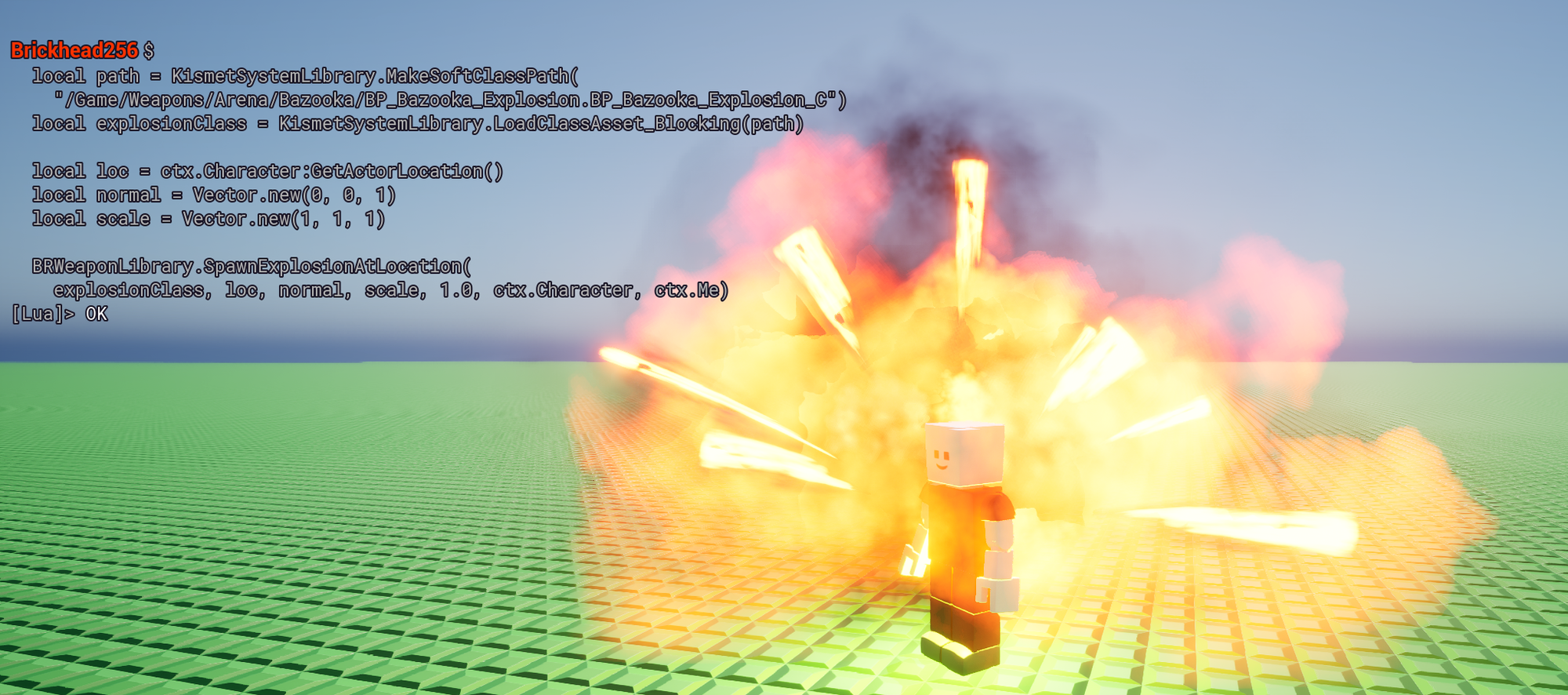
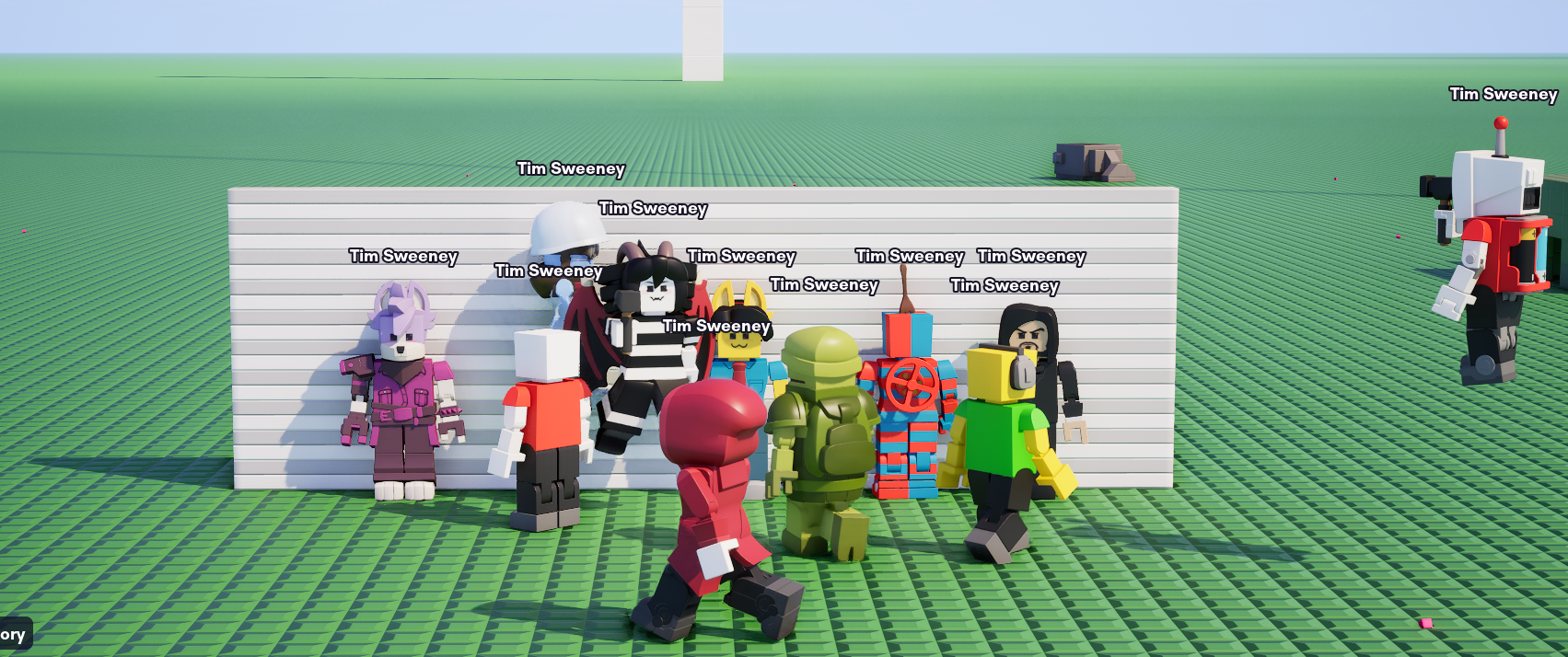
There is still quite a bit to do, but even in this state it can do quite a lot.
Performance Improvements
For every major update we try to make your game run a little better, and this one is no exception. Off the top of my head, here's everything we've done so far, and there might still be more to come:
- We've upgraded Unreal Engine to 5.7, which required solving several hundred rebase conflicts to integrate all our custom changes into the new version (it turns out Epic also likes to change the engine a lot!),
- We've fixed a major performance flaw in the Iris replication system that was causing it to poll sleeping and frozen entities every frame, only to discover that they did indeed not change,
- We've implemented a new fast rendering system that makes use of a new engine feature to render meshes while completely bypassing all the overhead that comes from using heavy primitive components to draw them, now in use for brick cluster meshes and character parts,
- We've implemented a new tick manager for brick components that only sometimes require ticks to update every frame, such as wheel engines that can go asleep when no one is driving the car and the steering has returned to idle,
- We've moved the final remaining part of the weapons system that was using Open Alpha-era barely functioning server side hit detection (melee weapons) to the new system of client predicted hits, which then allowed us to completely disable evaluating player animations on servers and only do it when the player is actually visible on clients,
- We've nativized more parts of old character blueprints like updating the nametags on screen that was taking up a lot of time, and optimized some redundant logic for bot controllers,
- We've made buoyancy computations roughly 10 times faster while also parallelizing it, now making it so fast that we could also enable buoyancy for all entities such as wheels,
- We've fixed that light components did not correctly apply the radius clamp from brightness when loading a map in single player or as a listen server (the issue did not occur as a client),
- We've refactored the brick cluster mesh system to now allow merging geometry across chunks when the world contains many sparse bricks over a large area, though it cannot yet combine meshes across different grids,
- We've removed all unnecessary access to physics scenes from background threads, which now allows us to run PhysX without the scene locks on every API call, removing a lot of overhead on basically everything,
- We've started compiling our "shipping" config binaries with Thin LTO, allowing the compiler to remove many unnecessary virtual function calls and inline small functions even across different files and modules,
- We've fixed that physics wasn't parallelized at all on typical cloud servers with two cores, previously it only worked on three cores and up,
- And more that wasn't worth mentioning here...
Client Performance
Wew! That's a lot! So what did we gain? Are we writing all this fluff for 5% performance gains? Well, let's compare EA2 to the current main branch. We'll use a version of the world "Pinkadia" for comparison, which is one of the most complex worlds ever created in the game:

Since most players would see this as a client on a server, we've also joined a server as a client. These screenshots are taken on a system with a RTX 5090 and Ryzen 9950X3D, but relative improvements are similar on other computers.
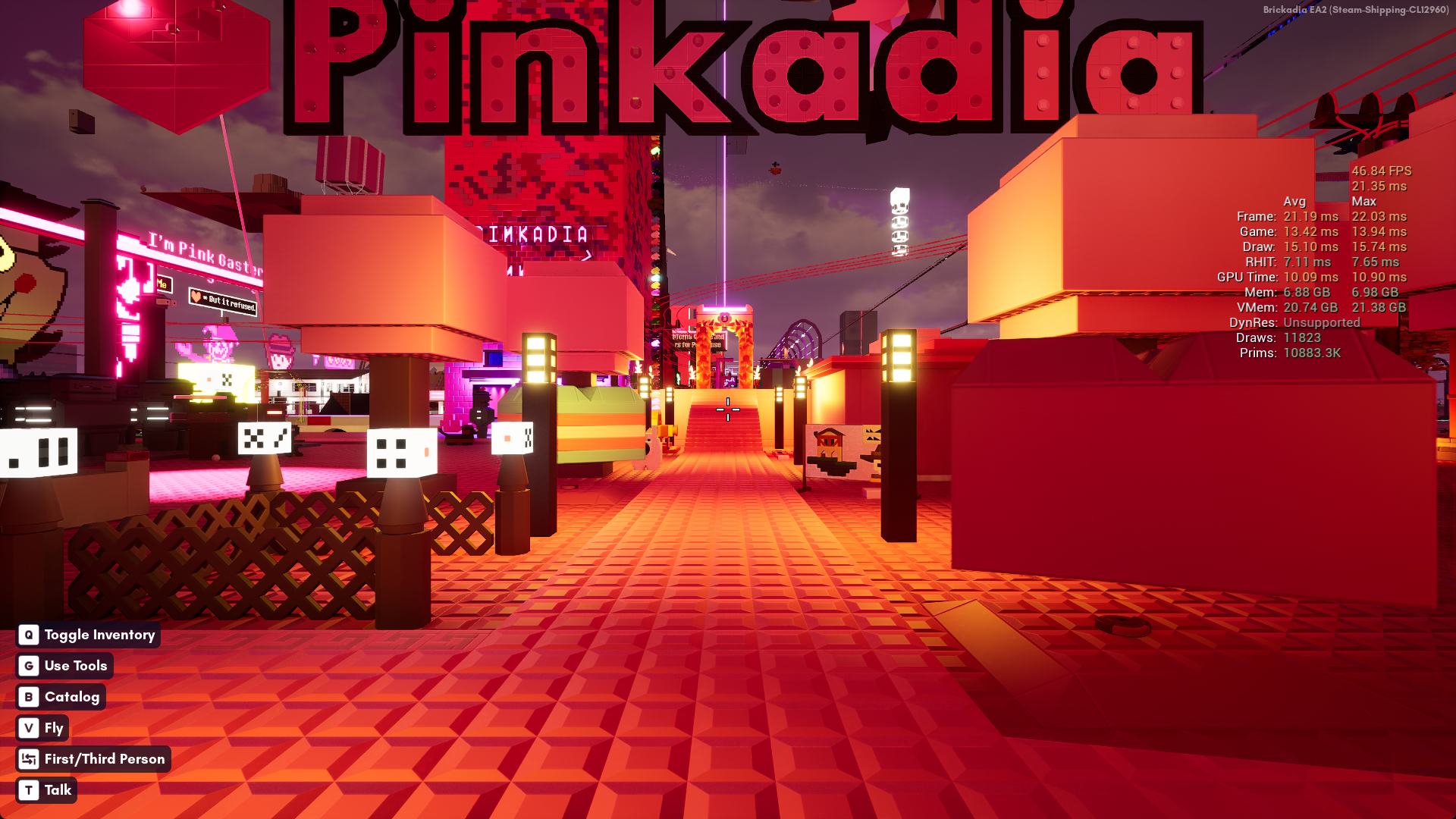
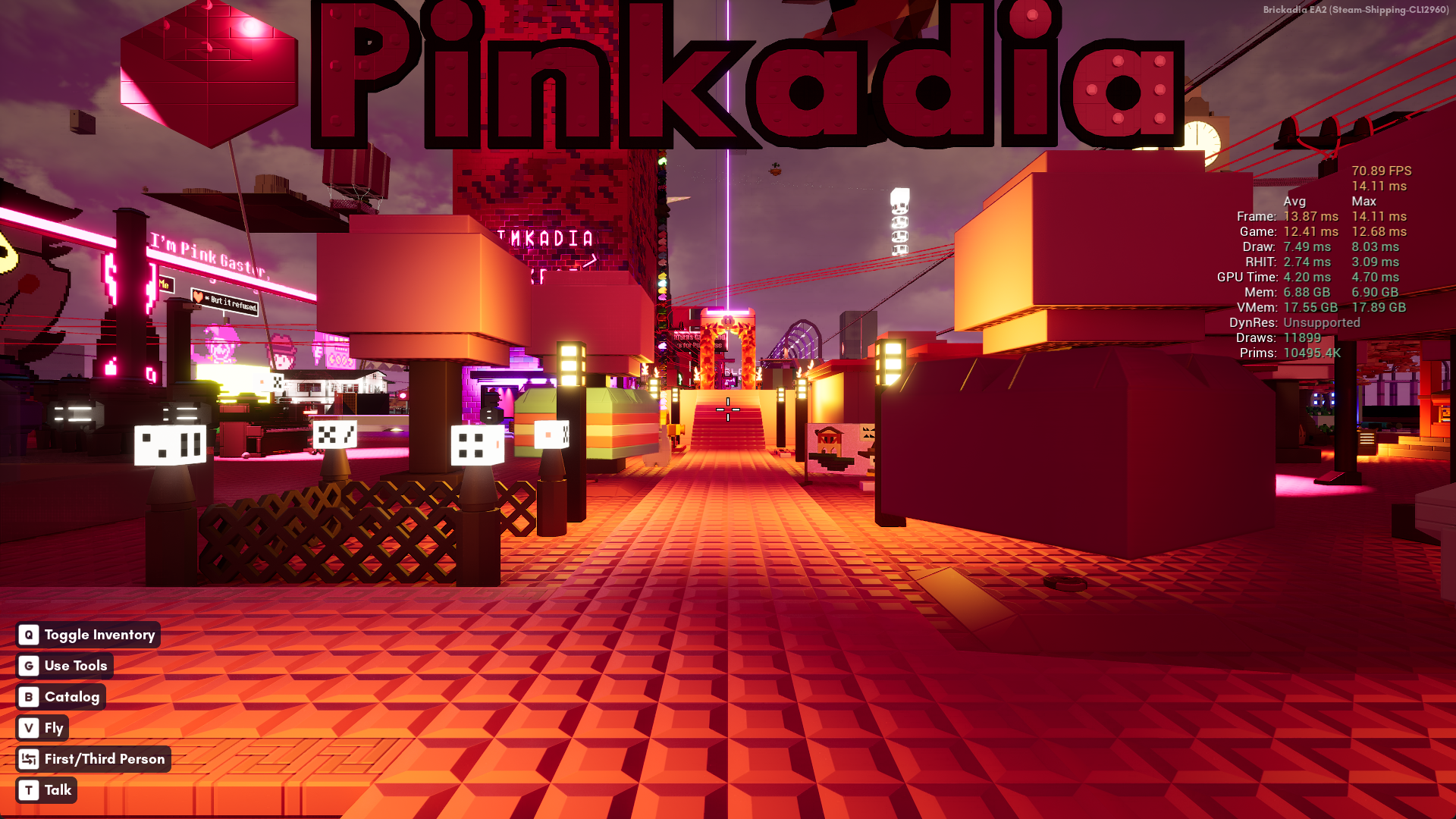
This world seems to perform terribly on a very high end computer. Let's see if that runs any better in the new version so far.
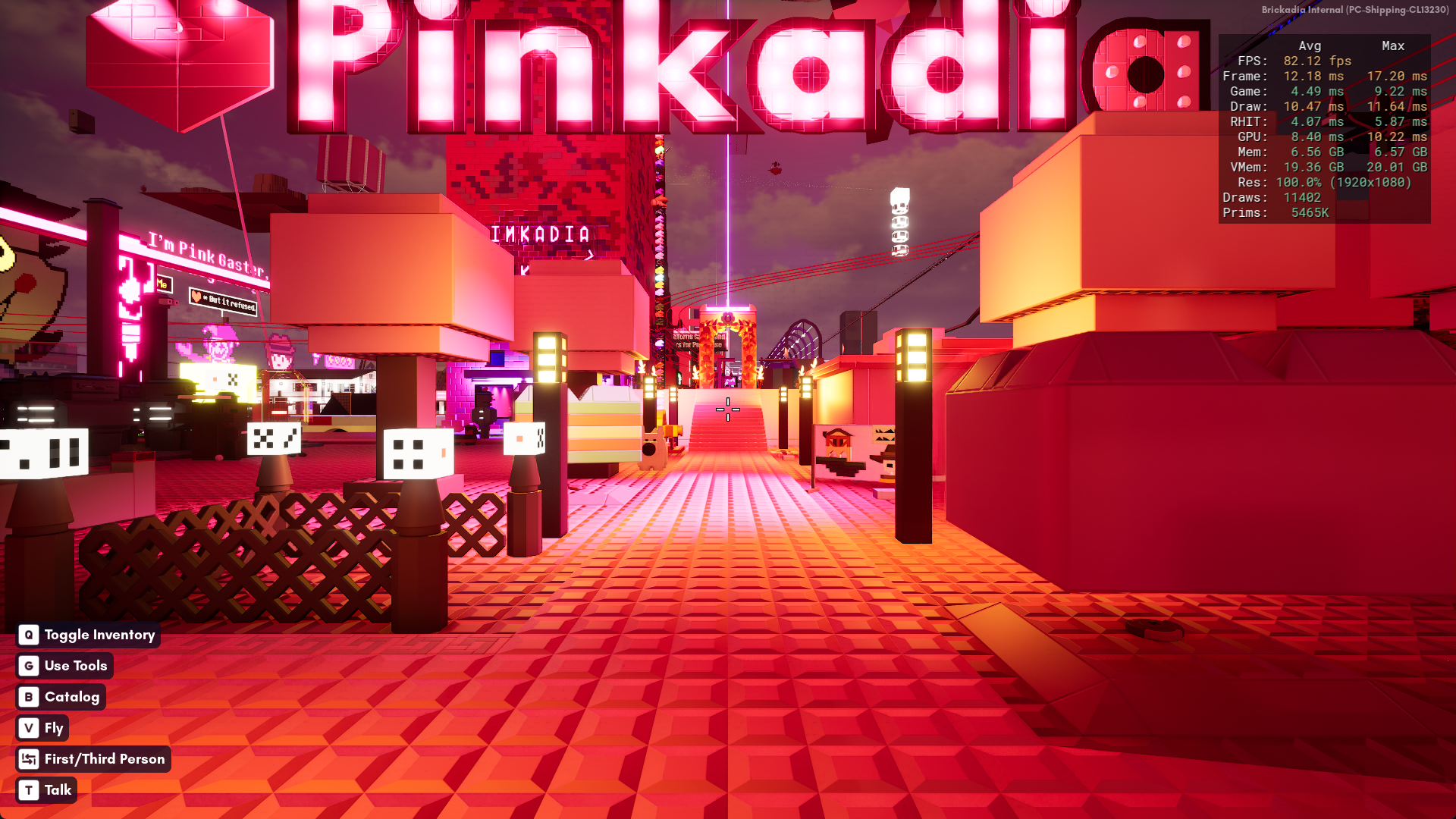
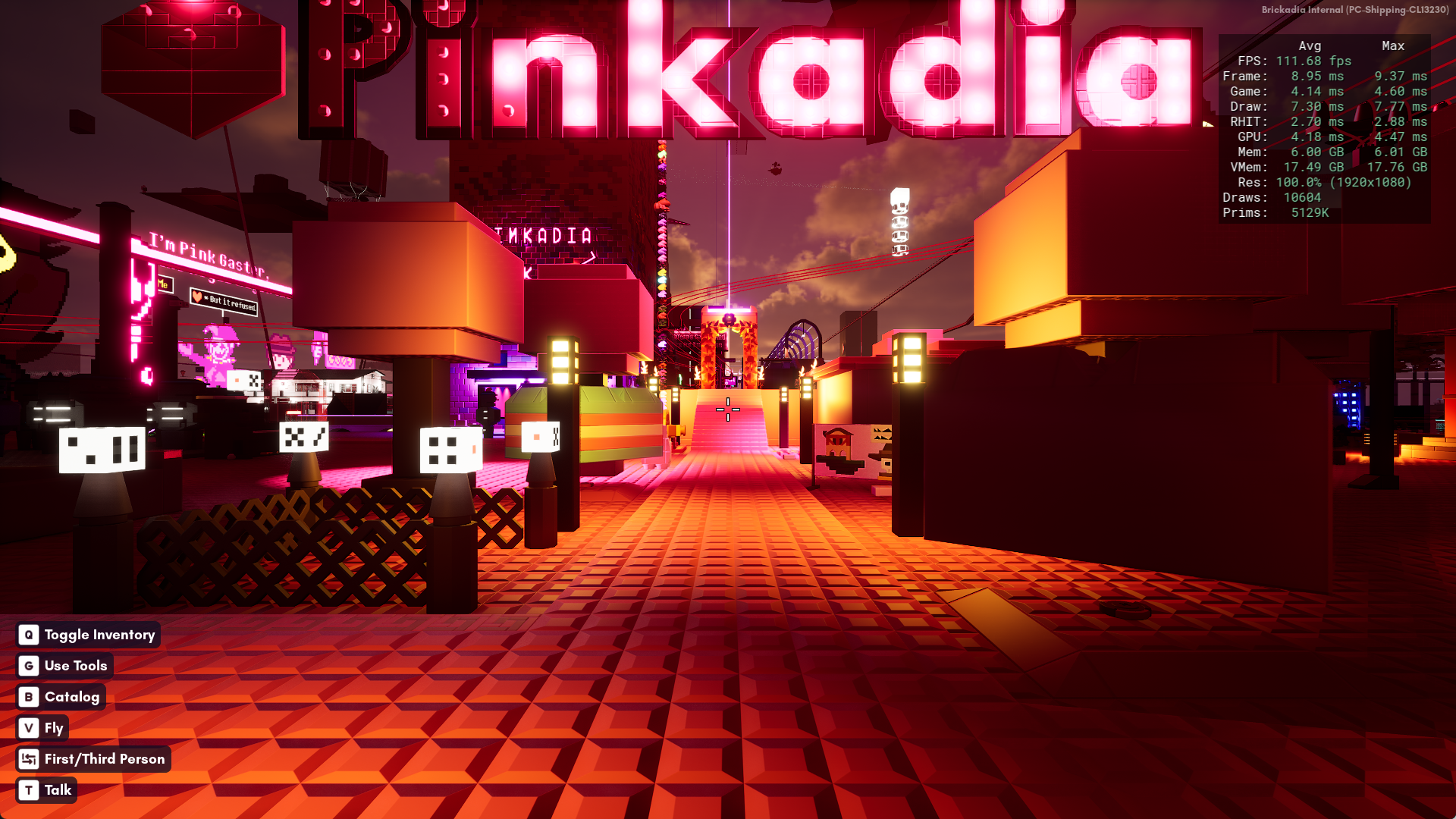
We've certainly made progress here!
There is more to come for optimizing the client - we'll soon introduce a new kinematic joint to connect multiple grids together rigidly, while allowing it to rotate with interpolation when controlled by a wire. This will allow you to replace slow physics based doors with much faster kinematic grids, and in the case where the angle is not controlled by a wire, we will be able to merge meshes across subgrids, making builds with a lot of rotated decorative grids massively faster.
And we haven't even started optimizing the GPU memory usage yet - the core brick renderer is still from Open Alpha days where builds mostly fit in VRAM and ray tracing was something far off. There are plans for streaming brick clusters so only the ones within the view distance must be resident in VRAM, and a new way to organize brick vertex data that should reduce its size by roughly 5 times (sadly, that will not apply to the separate ray tracing data, but it should help low end computers who will not be using ray tracing anyway the most).
Server Performance
Dedicated servers are now also much faster. Before, most of the time was spent on useless things, which we've now removed. For example, here is a direct comparison of a server frame running Pinkadia with a single client connected. To capture this trace, we have to use an instrumented build, so it's a little slower, but watch the difference in timings of the sections:
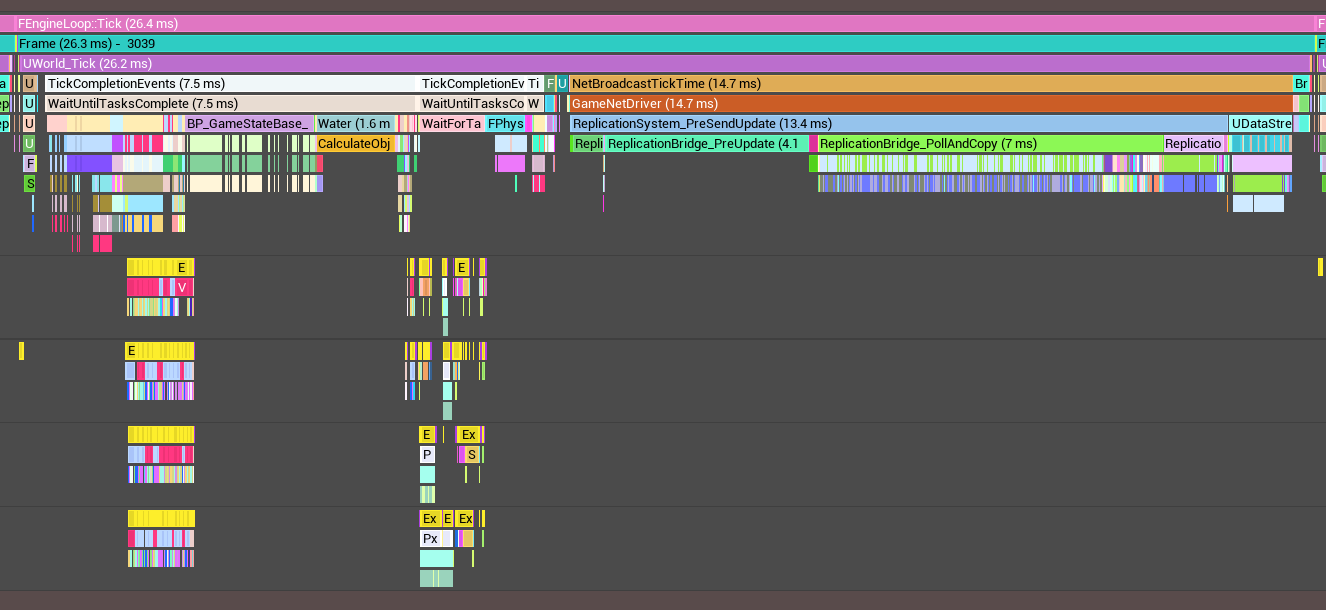
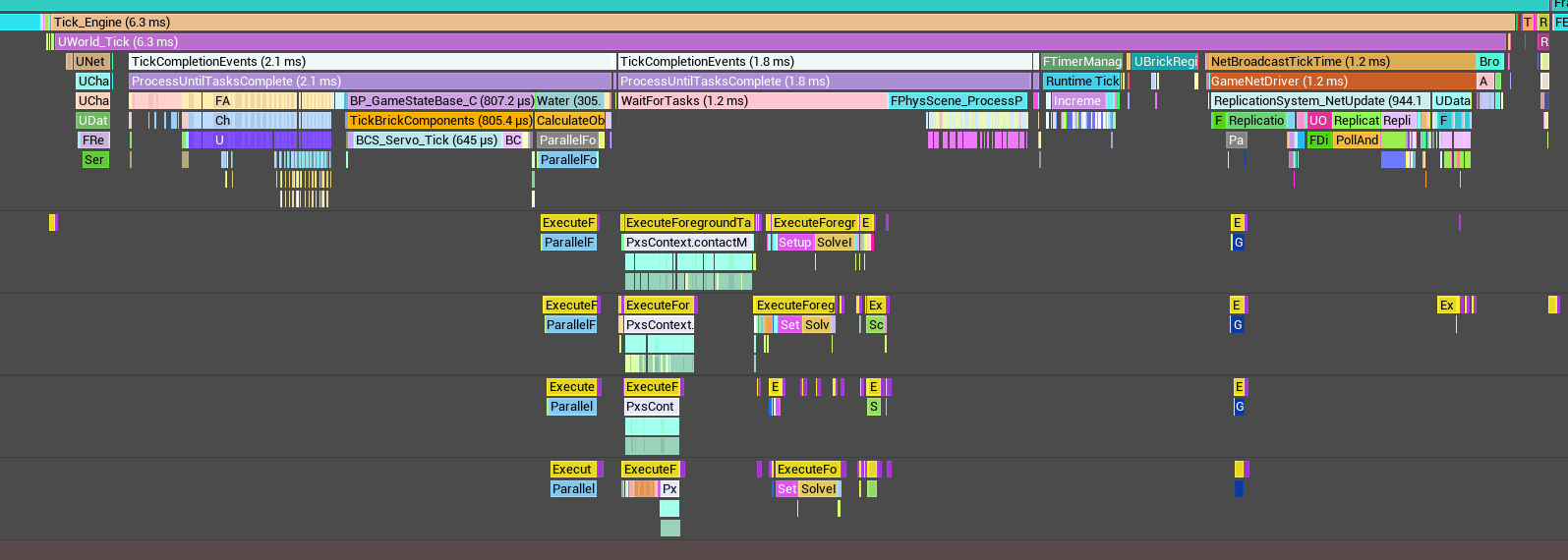
Running the server with tracing capability adds a lot of overhead, so let's also just compare the final frame rate the server is able to achieve, by joining it as a client and viewing this beautiful tps counter made out of bricks and gates and wires:
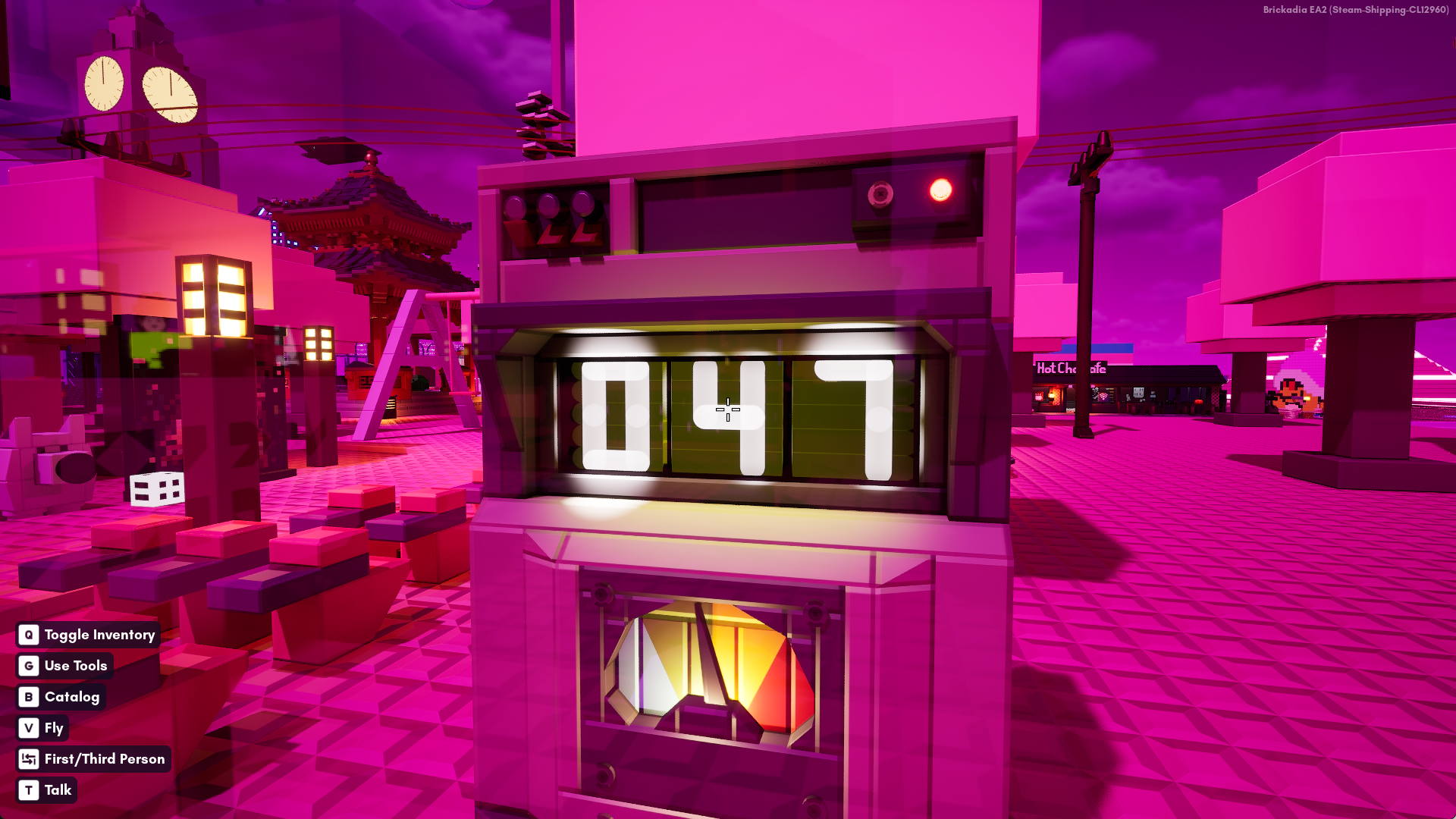
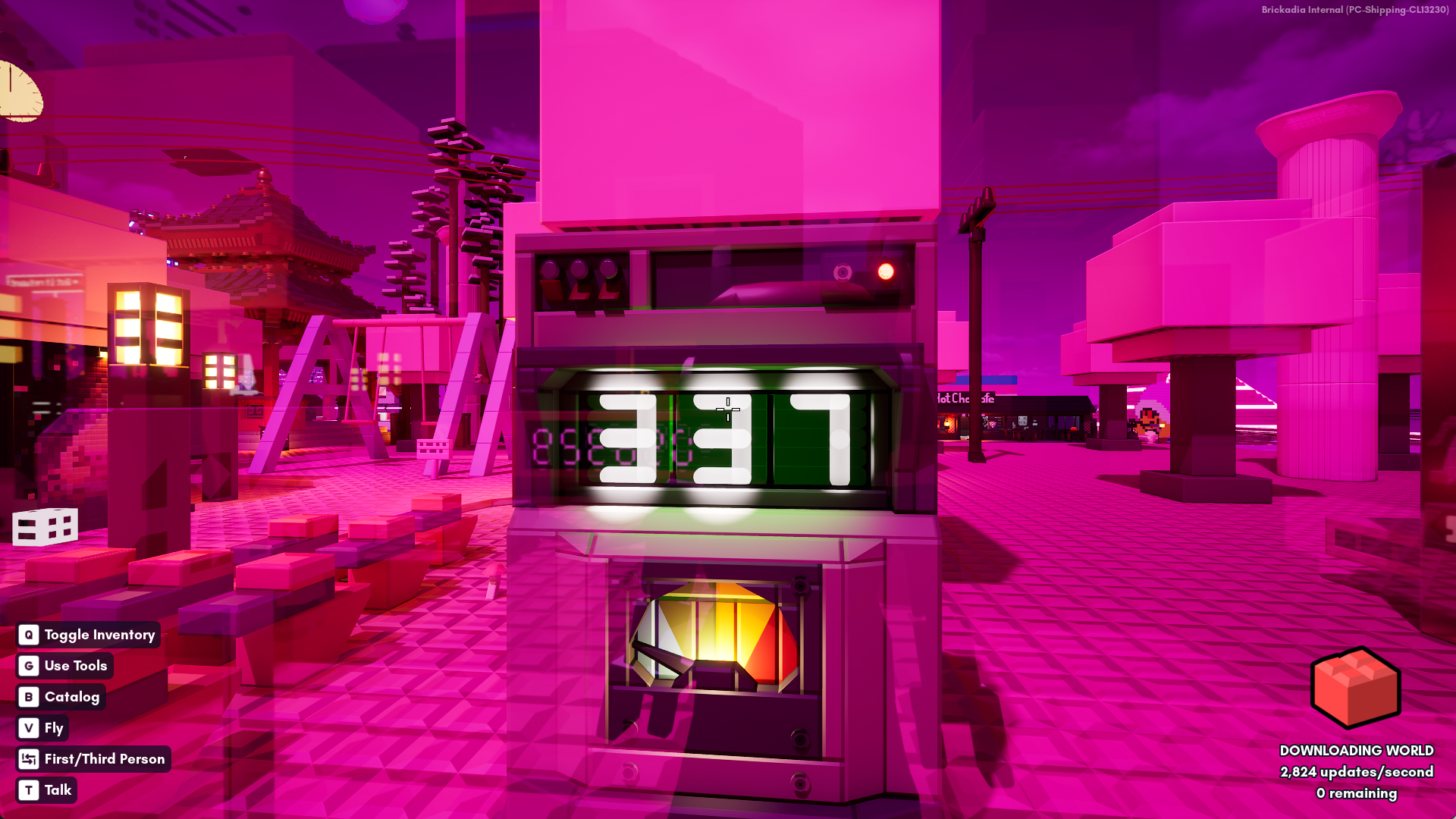
In the proper "shipping" configuration of the server we can now also see the performance impact of using Thin LTO to let the compiler optimize across the whole program, making it even faster than the previous comparison.
A listen server runs both the client and server code each tick, so if you are hosting a large world locally, you should expect performance increases somewhere between the two above.
Oh, and we've also made some tools so you can make your own builds and servers faster rather than waiting for us to find a way to do it by magic!
Performance Debug Views
Previously, whenever we tried to implement debug views in the engine, the performance left something to be desired:
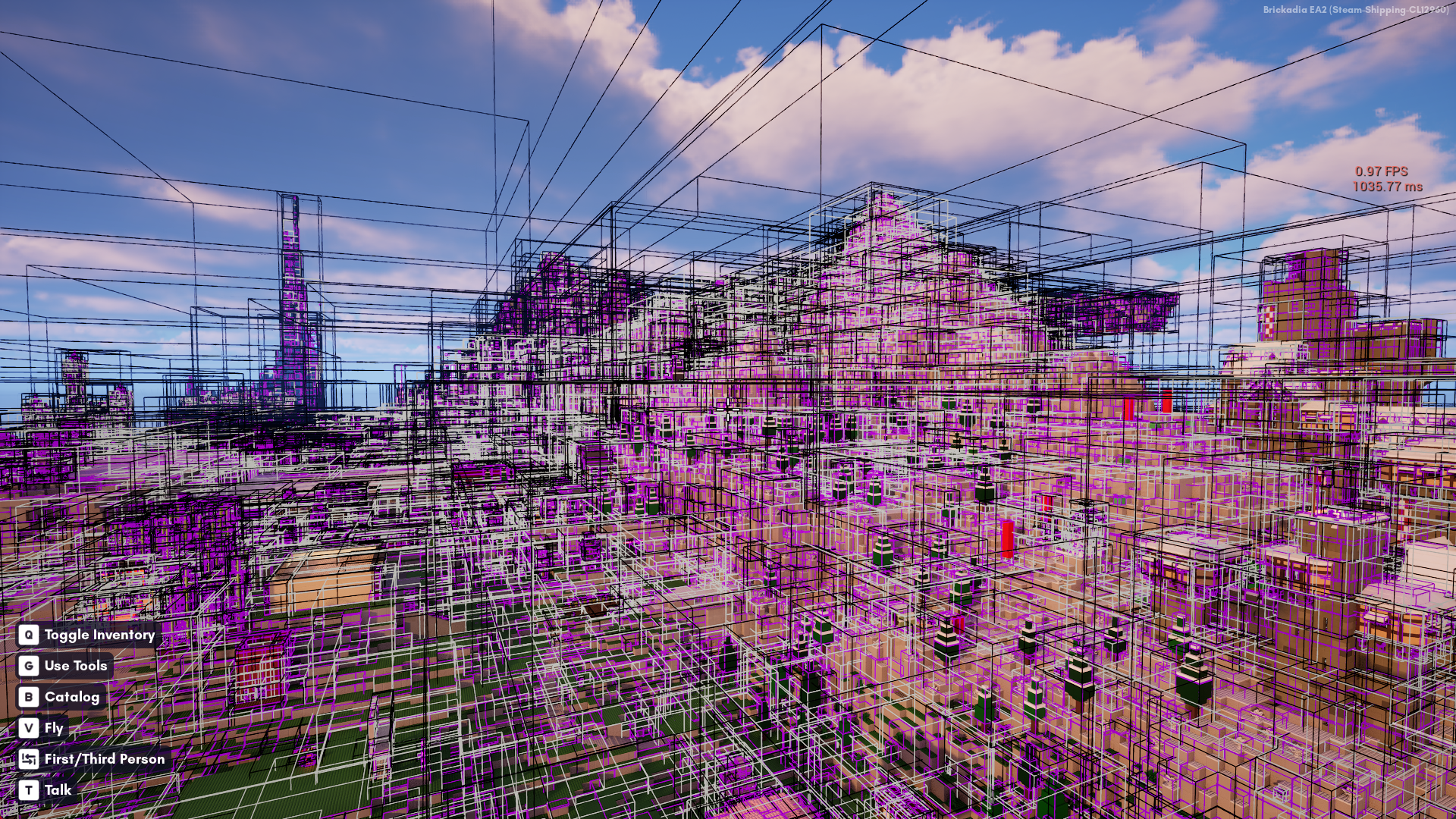
But recently, we've gained a super fast new debug drawer based on the excellent work in the VoxelCore plugin:
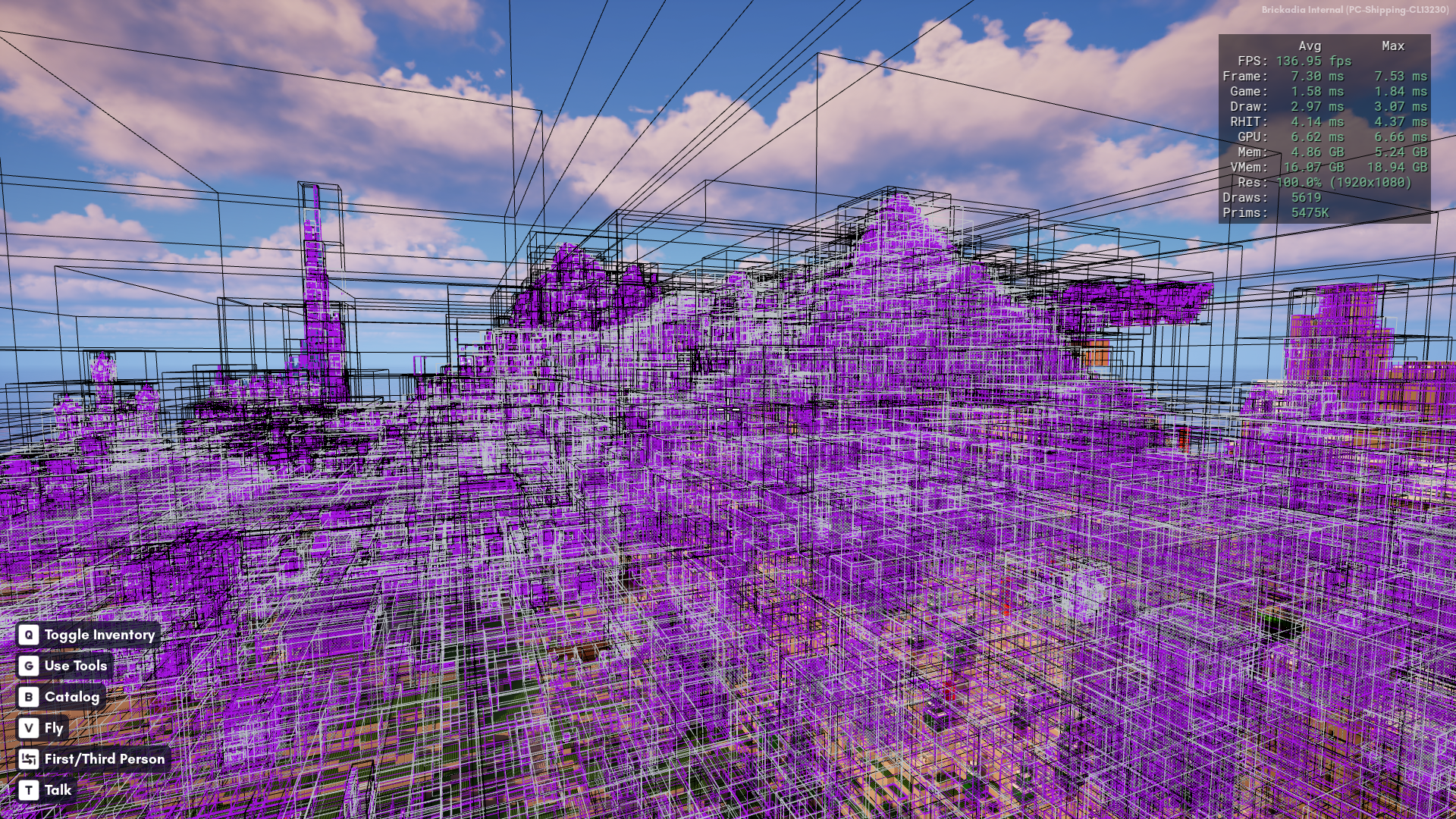
So naturally, we had a solution and went looking for problems to solve with it...
For those interested in finding laggy contraptions in your servers and improving the performance of your worlds, we now have several useful debug visualizations you can use, all of which also include statistics for you to look at and use to track down performance issues on your servers.
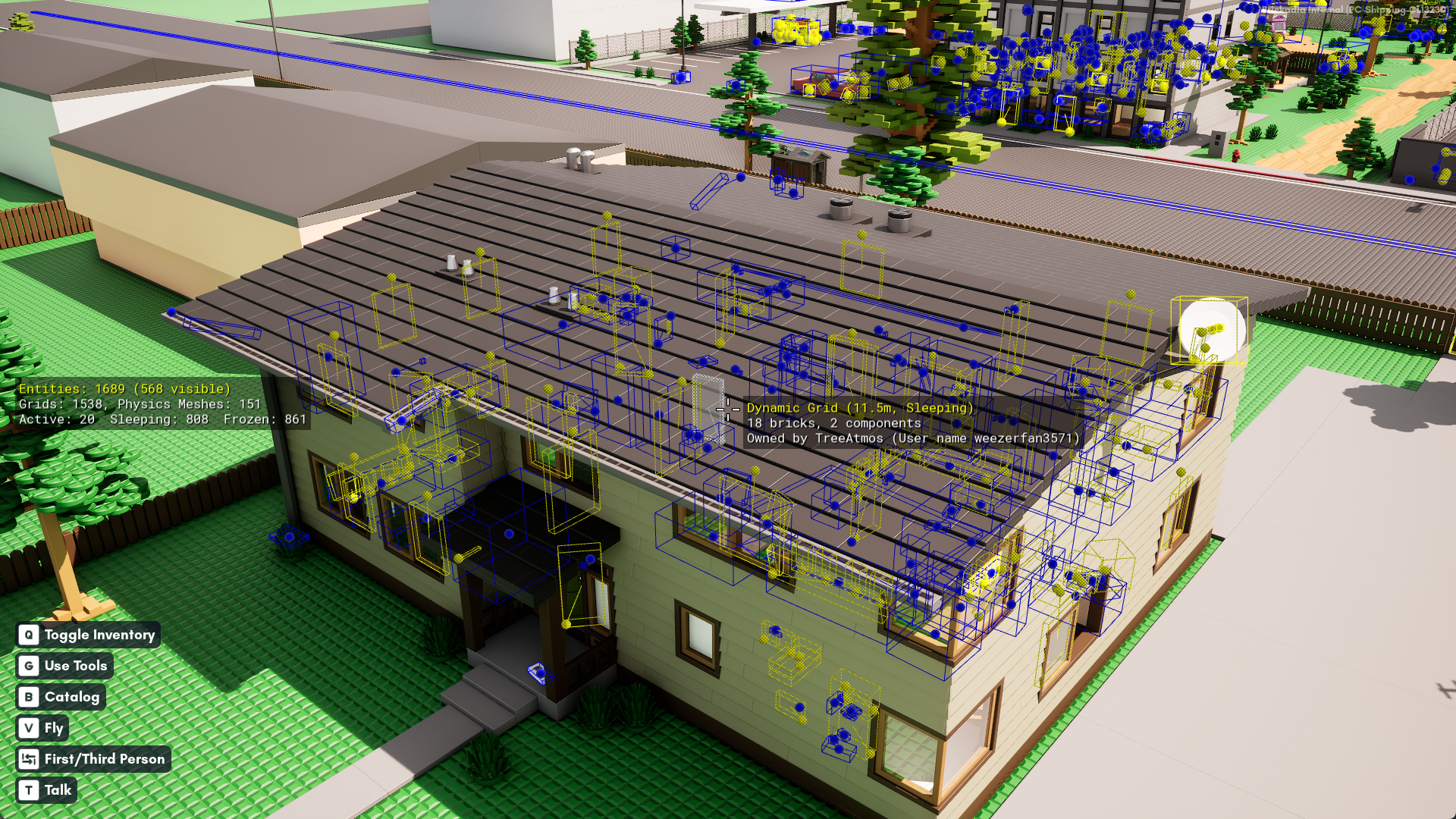
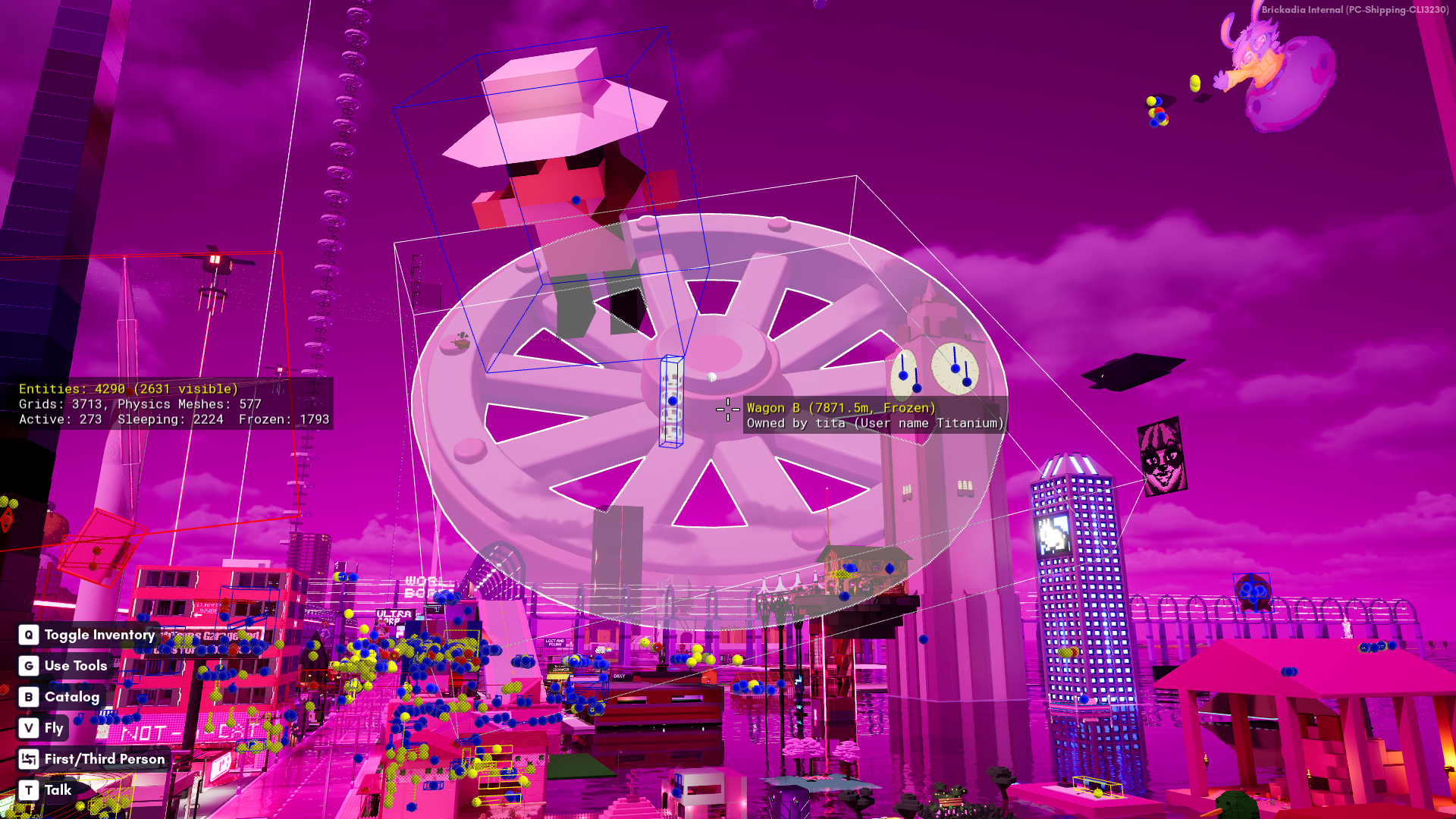
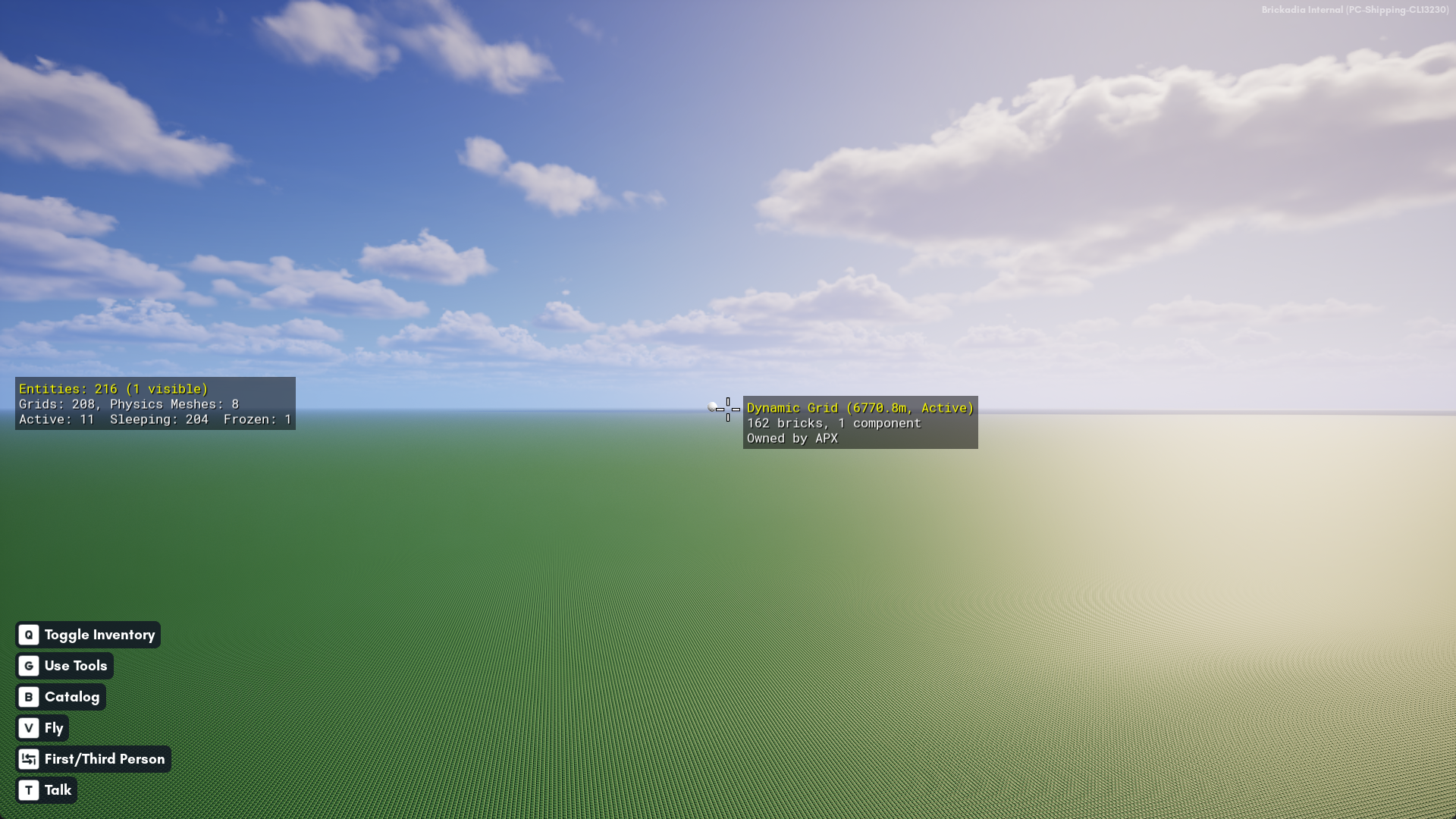
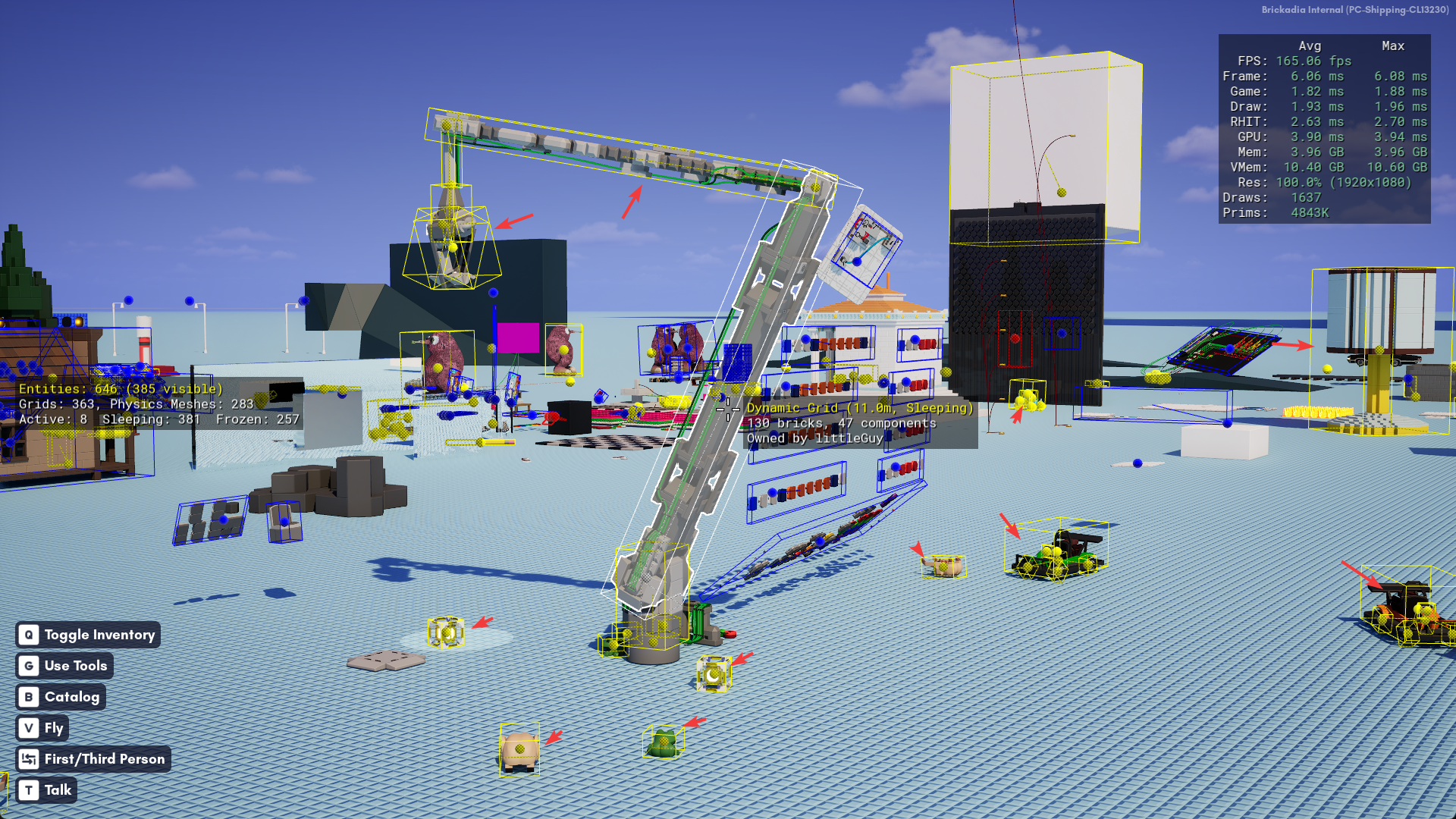
Entity Debug View
This makes it easy to track down rogue entities, like physics grids, that may be contributing to server tick rate issues. It can be enabled with BR.DrawDebugEntities 1.
Watch out for red entities. Those are actively moving in the simulation and processed by physics and replication.
Light Debug View
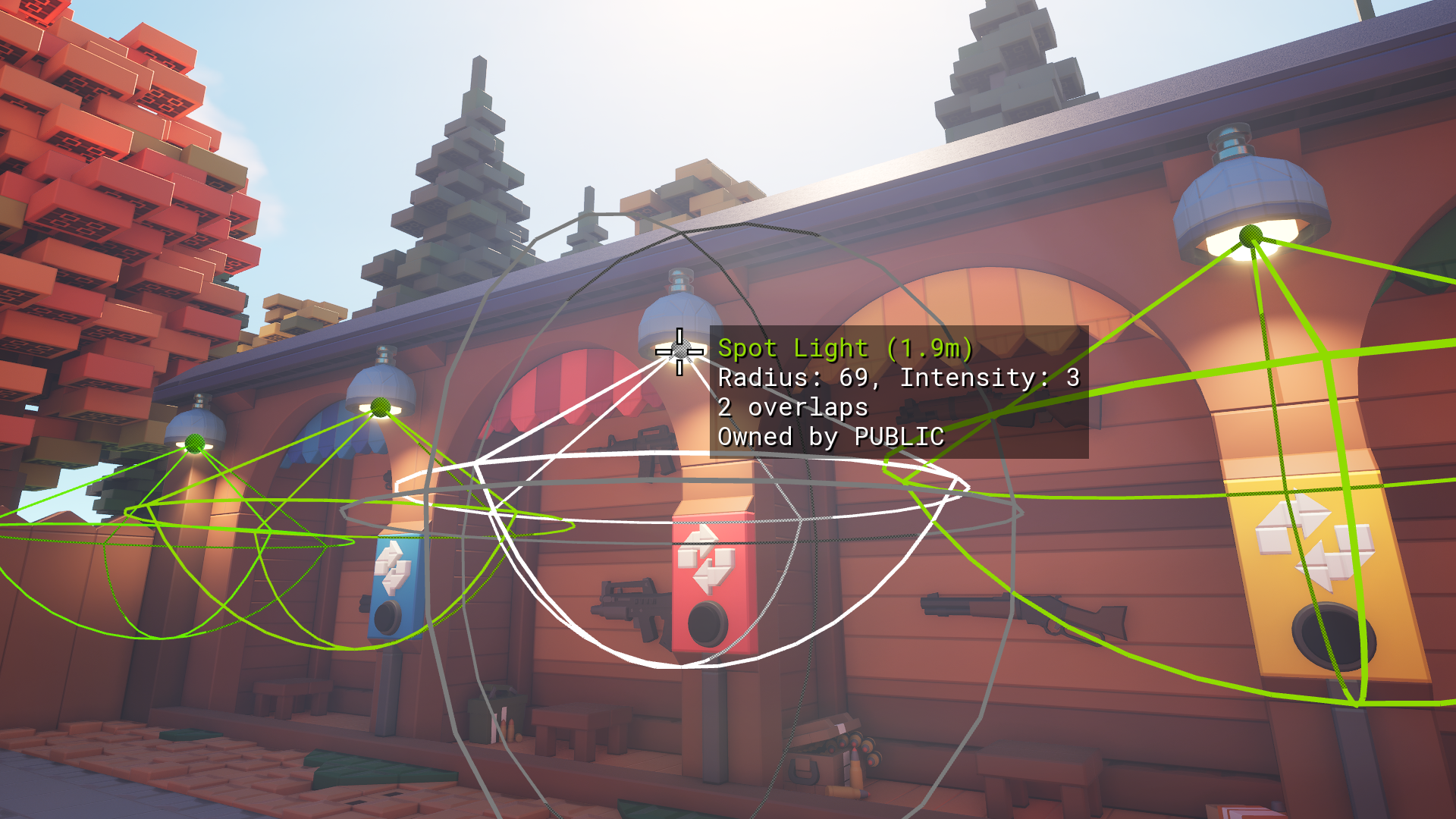
A very common performance pitfall many builds suffer from is from overlapping lights, and this visualization makes it very easy to spot. It can be enabled with BR.DrawDebugLights 1.
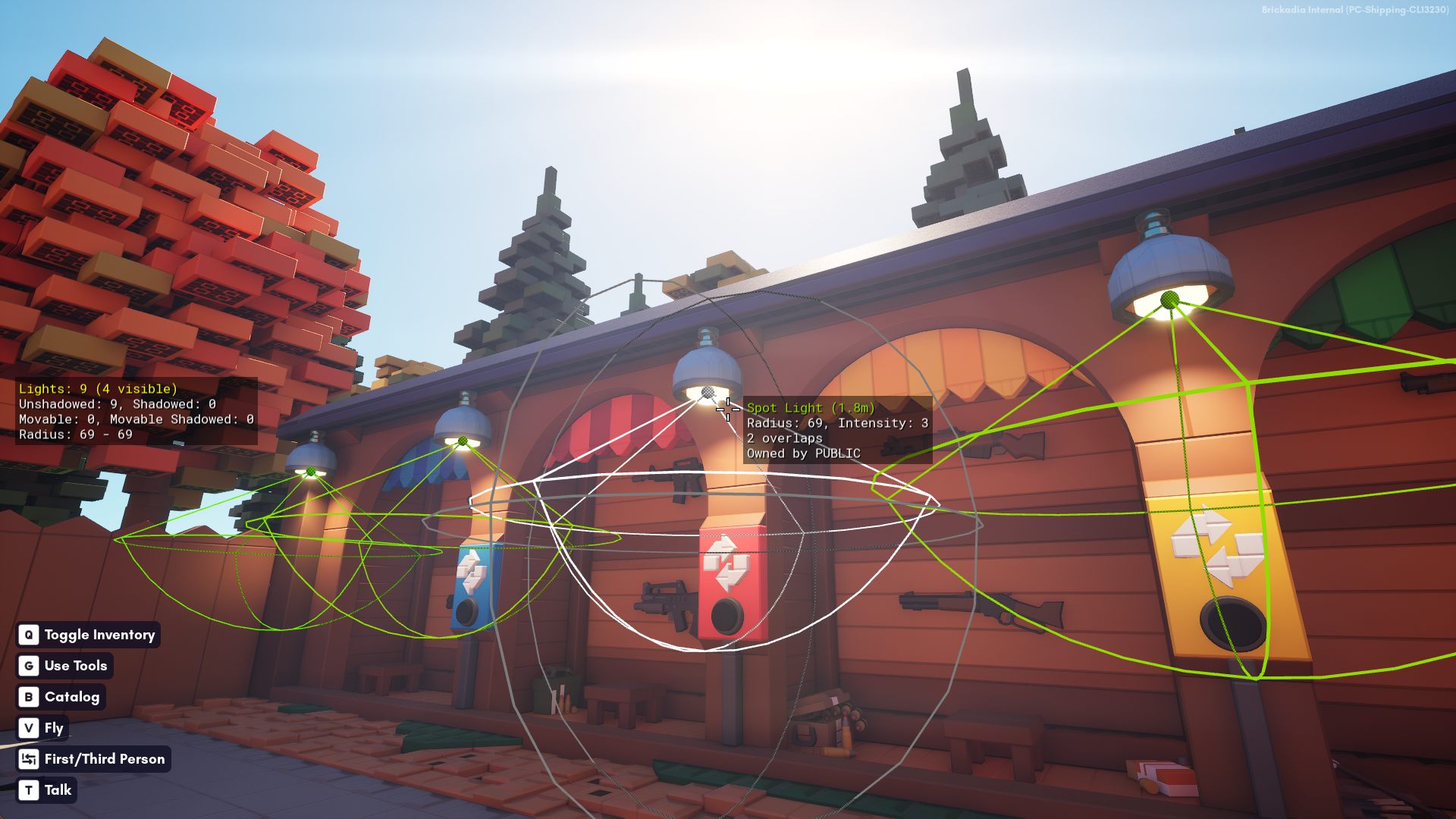
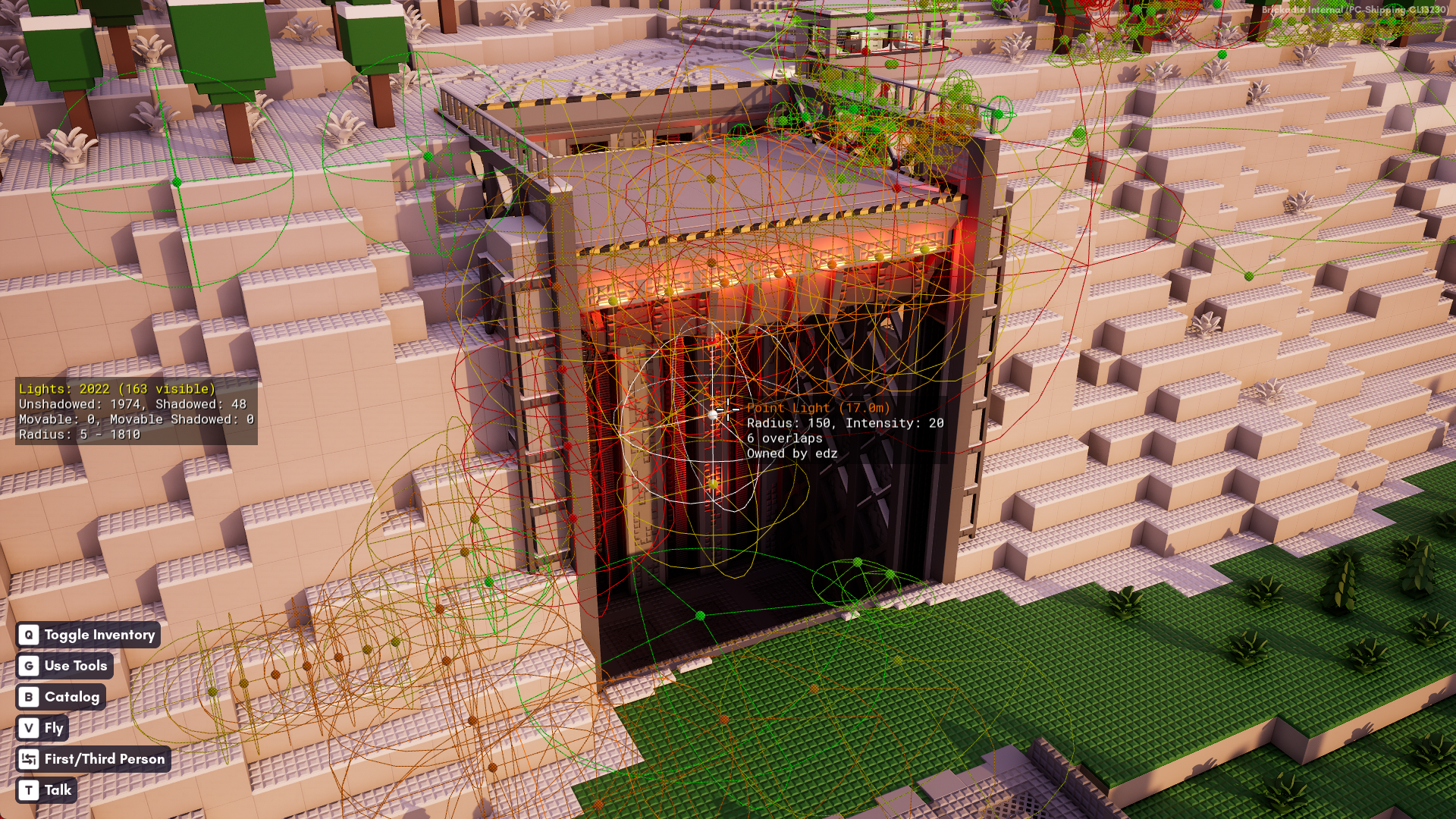
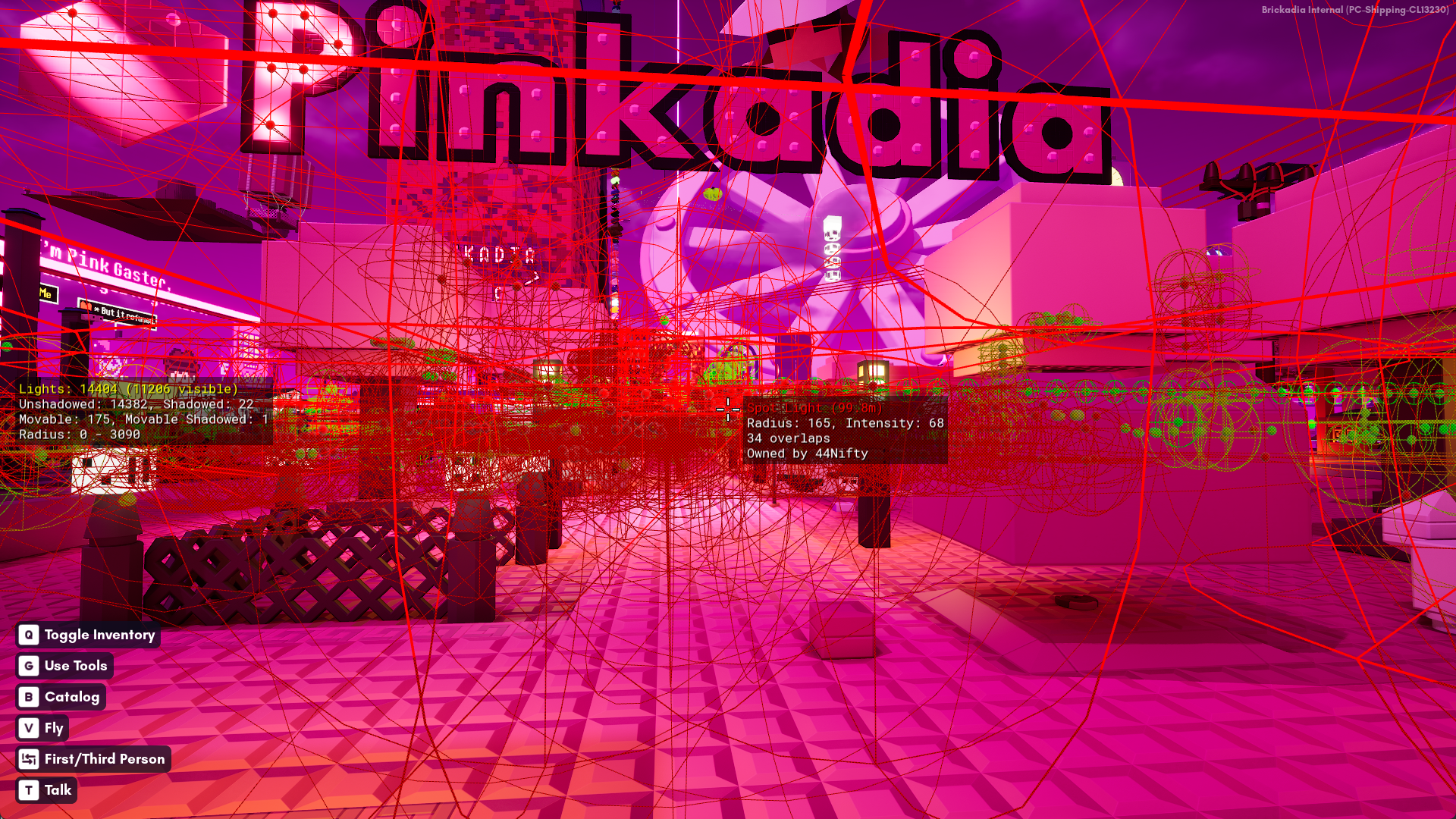
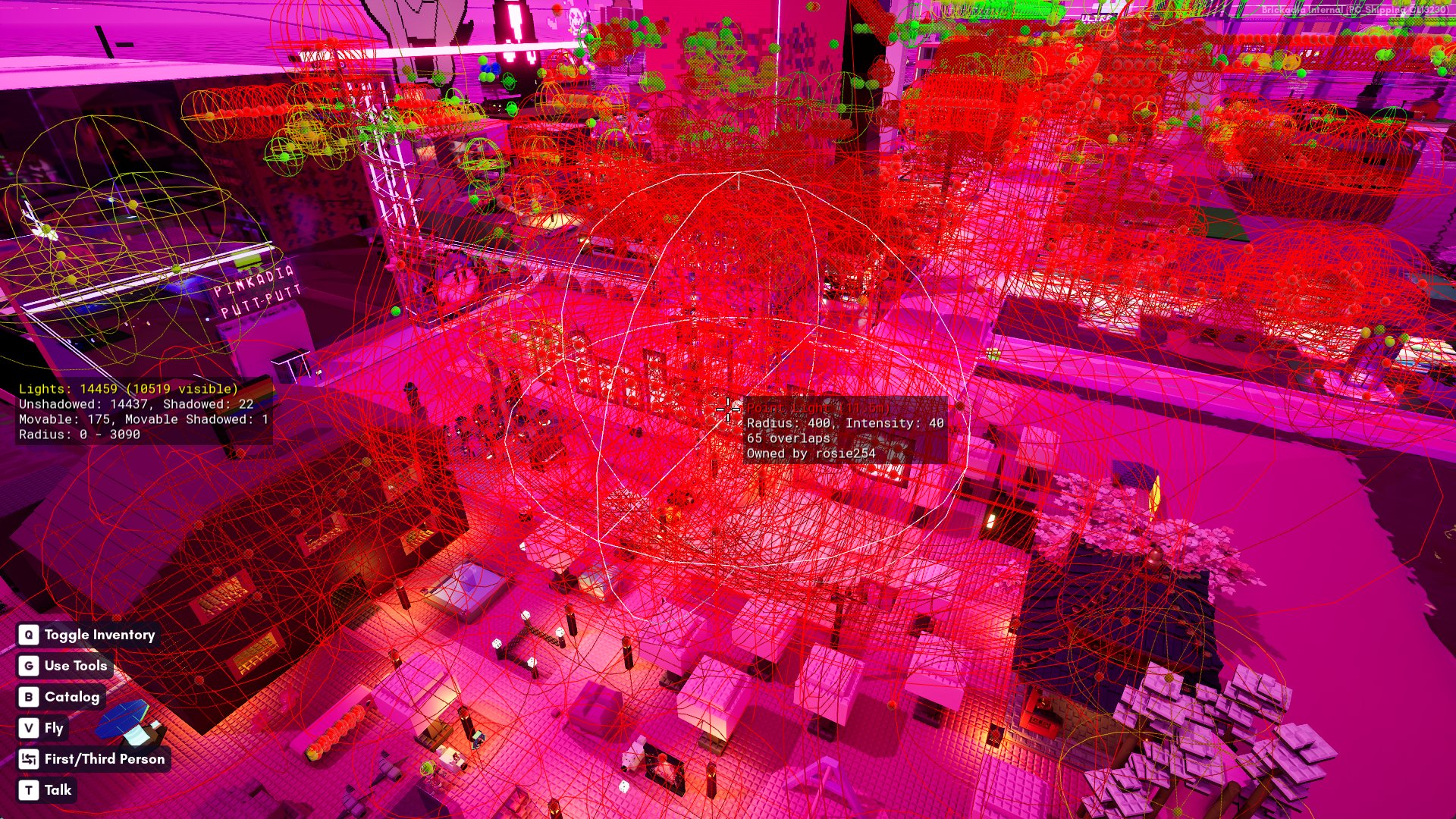
If you have many overlapping lights at some location, and you get close to that location, all those lights are going to cover your entire screen, which is very slow.
So we thought it'd be useful to show how much overlap there really is, counting up for every light how many others touch it, and coloring them from green to red depending on the number, which ended up being a lot more difficult than expected.
Quiz: How do you determine which of 15,000 lights overlap each other in under 0.5ms on a single core?
Replication Debug View
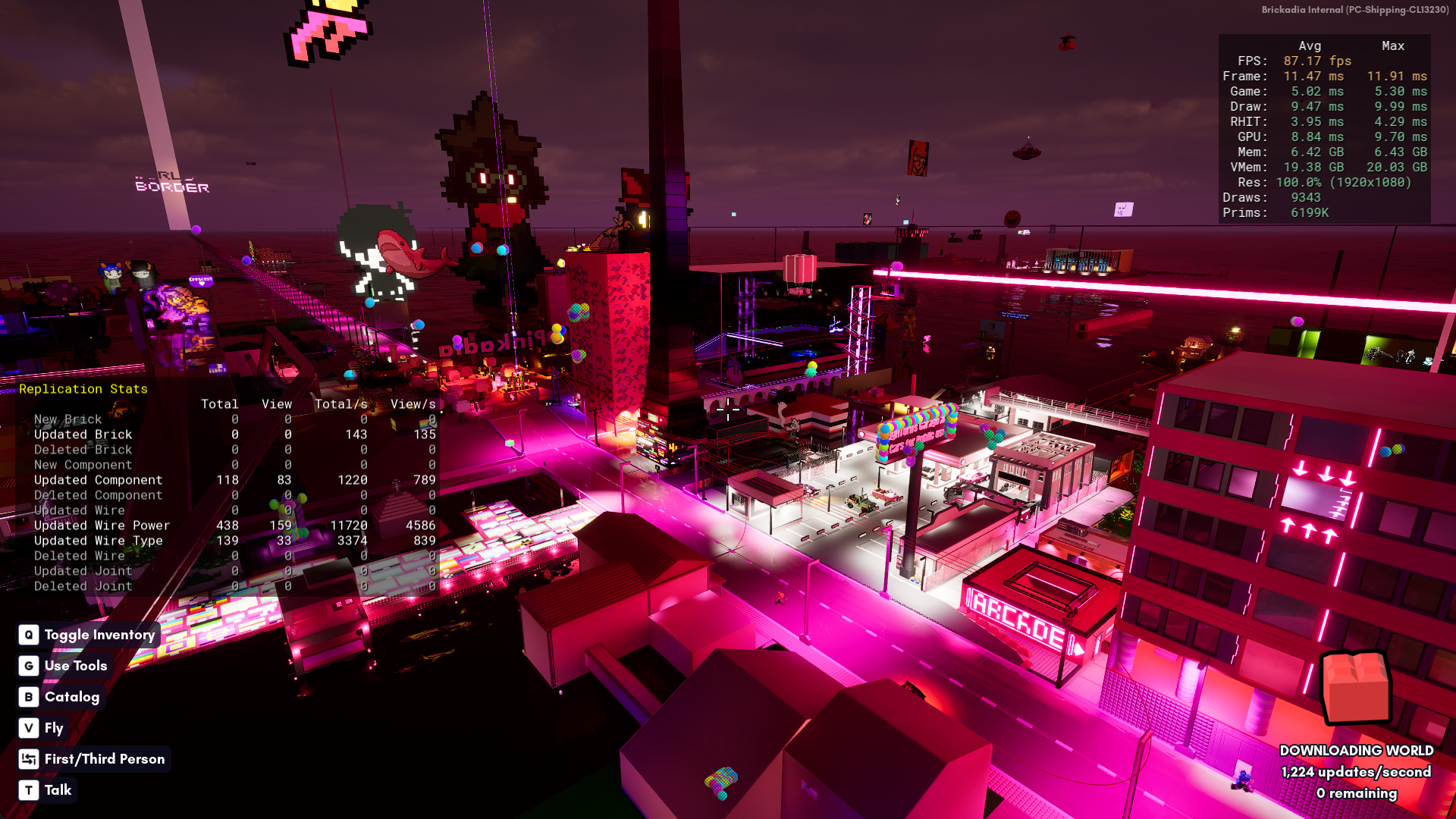
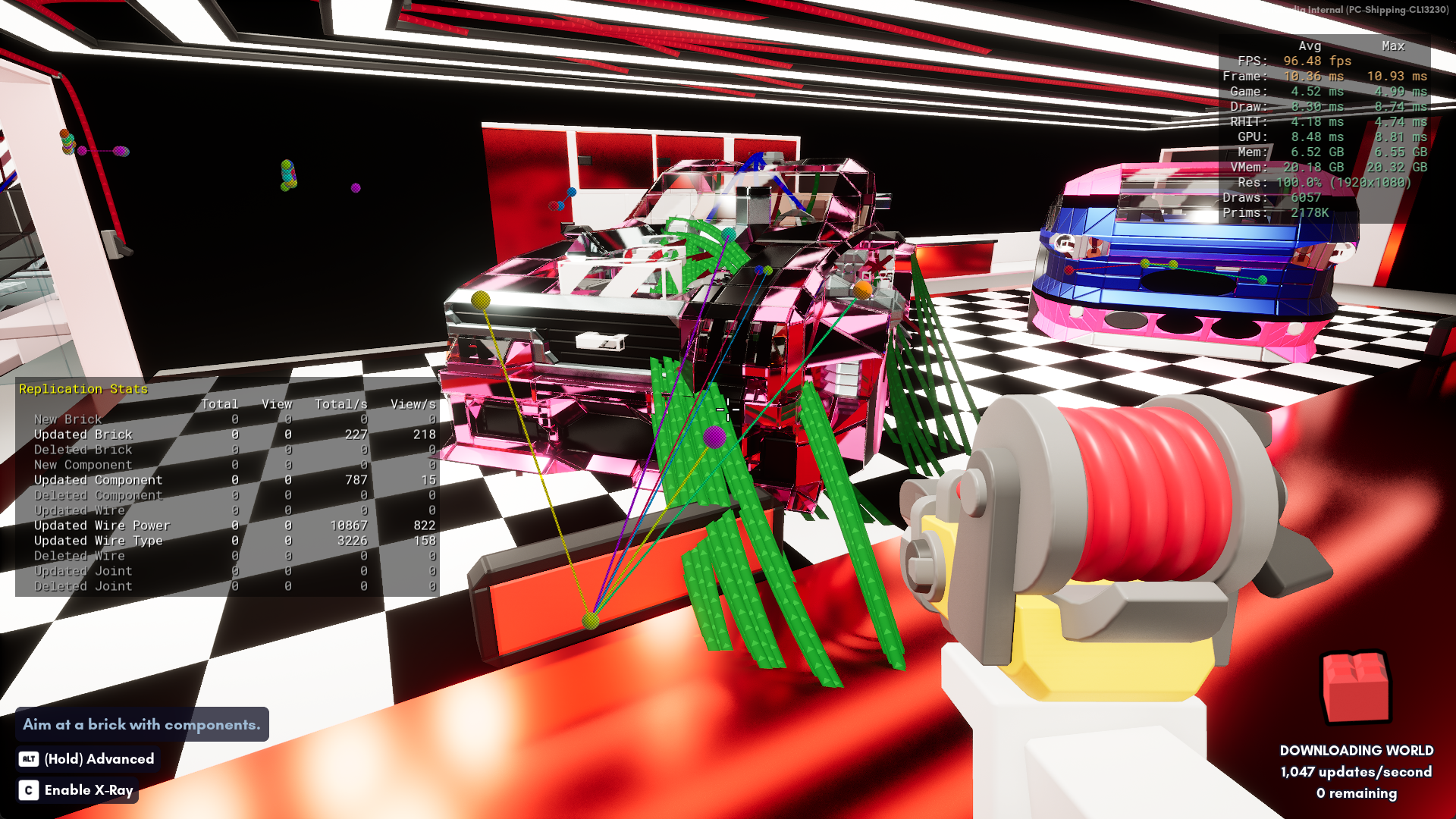
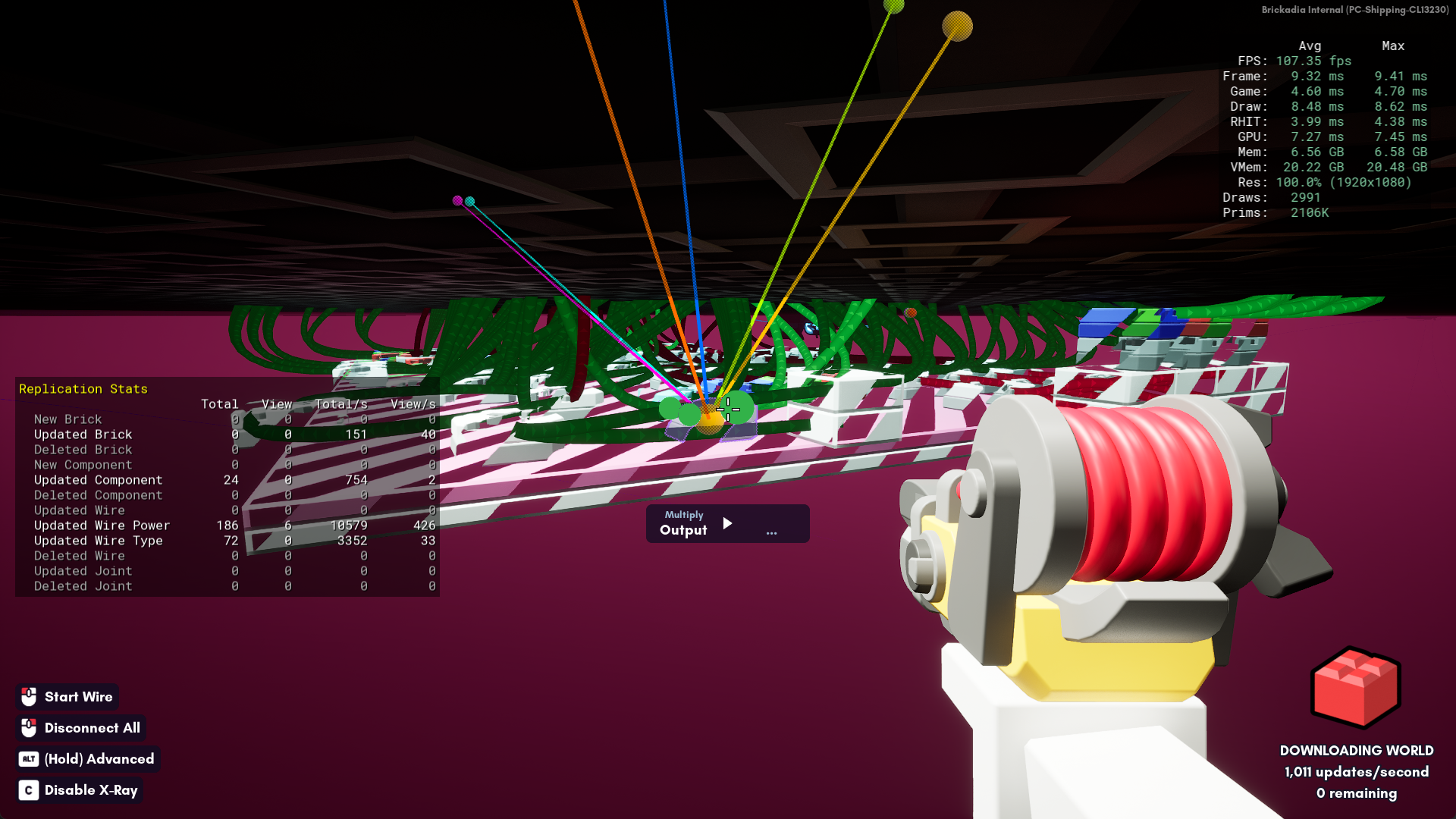
It can be difficult finding specific contraptions in your world that may be contributing to network performance issues. Thankfully, we have a colorful solution! This can be enabled with BR.DrawDebugClientUpdates 1 in the console.
Collider Debug View
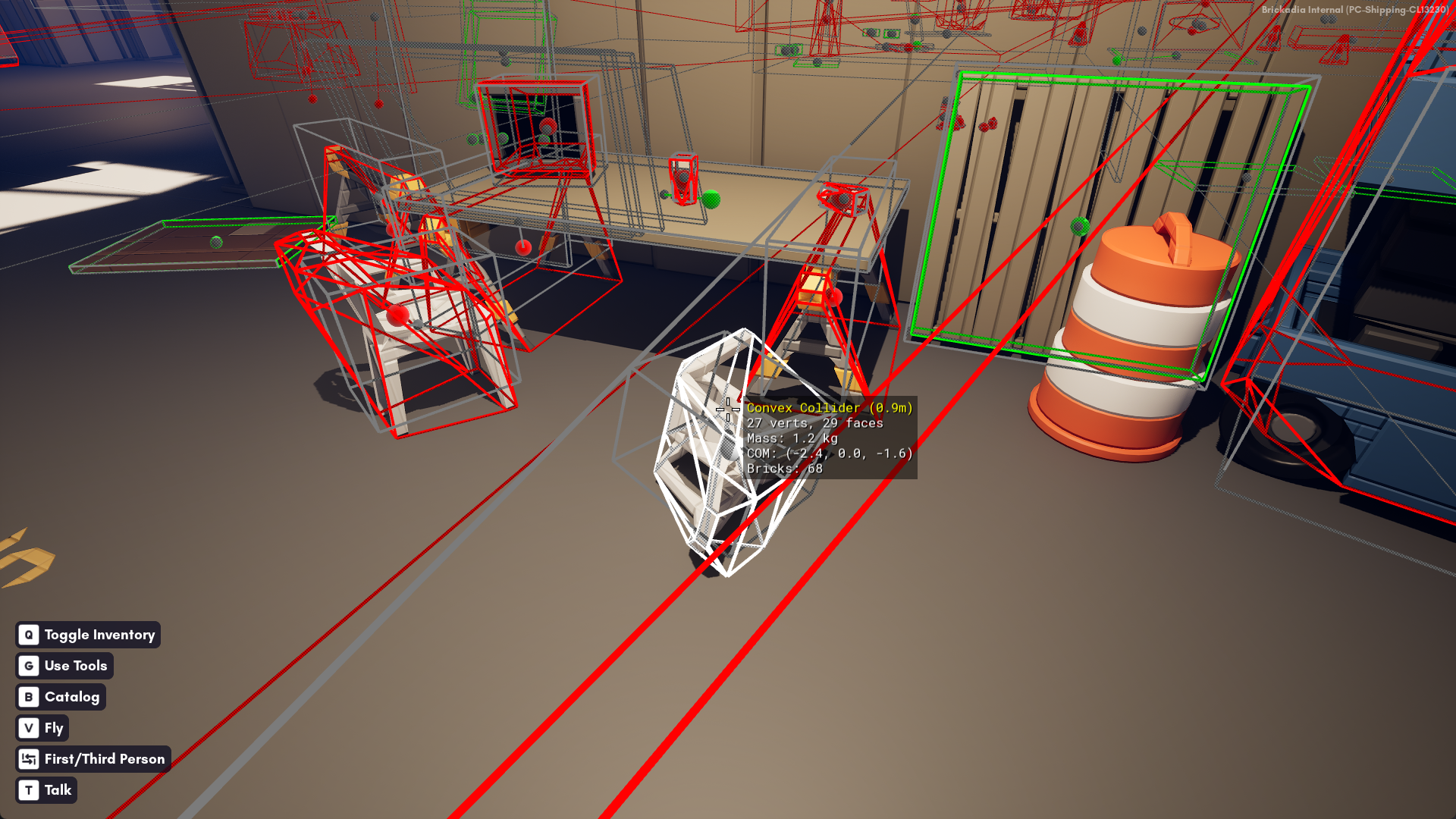
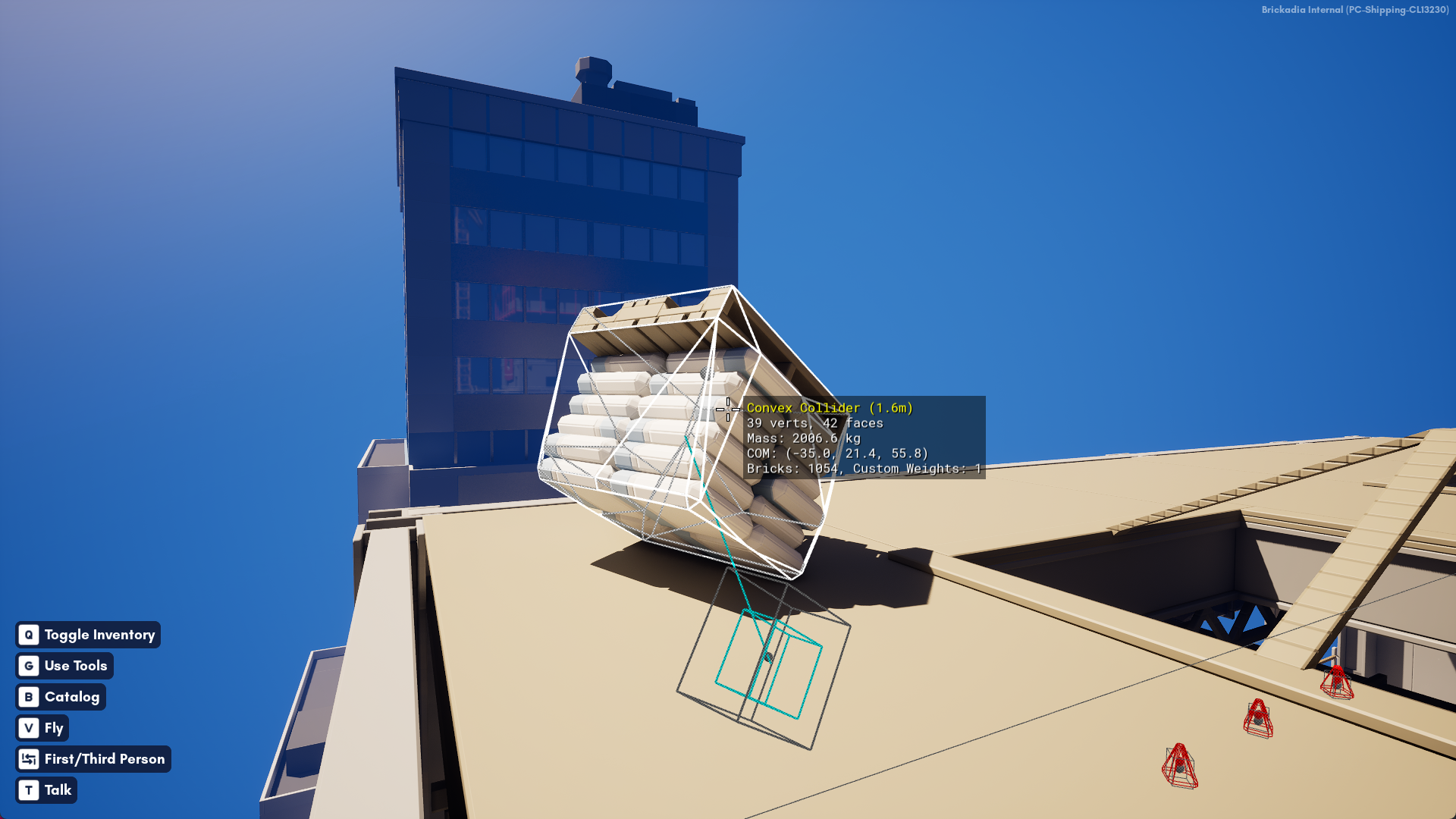
We've had this view before, but it has now been upgraded to visualize the origin, center of mass and intertia tensor of the object, letting you see whether your custom masses had the intended effect. It can be enabled with BR.DrawDebugColliders 1 in the console.
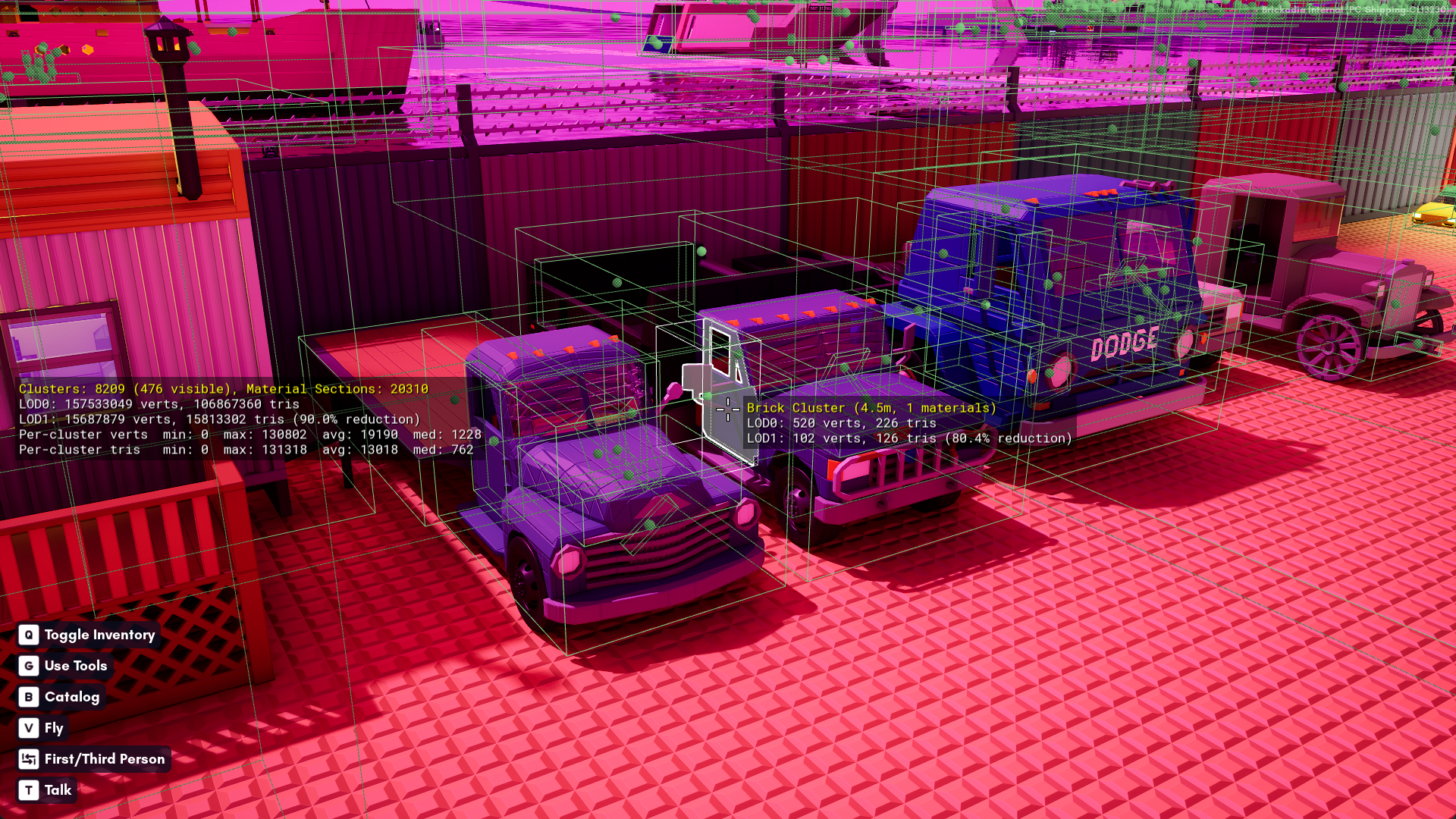
Brick Cluster Debug View
This one shows you how the brick engine groups the brick geometry to render. It can be enabled with BR.DrawDebugBrickClusters 1 in the console.
Other Goodies
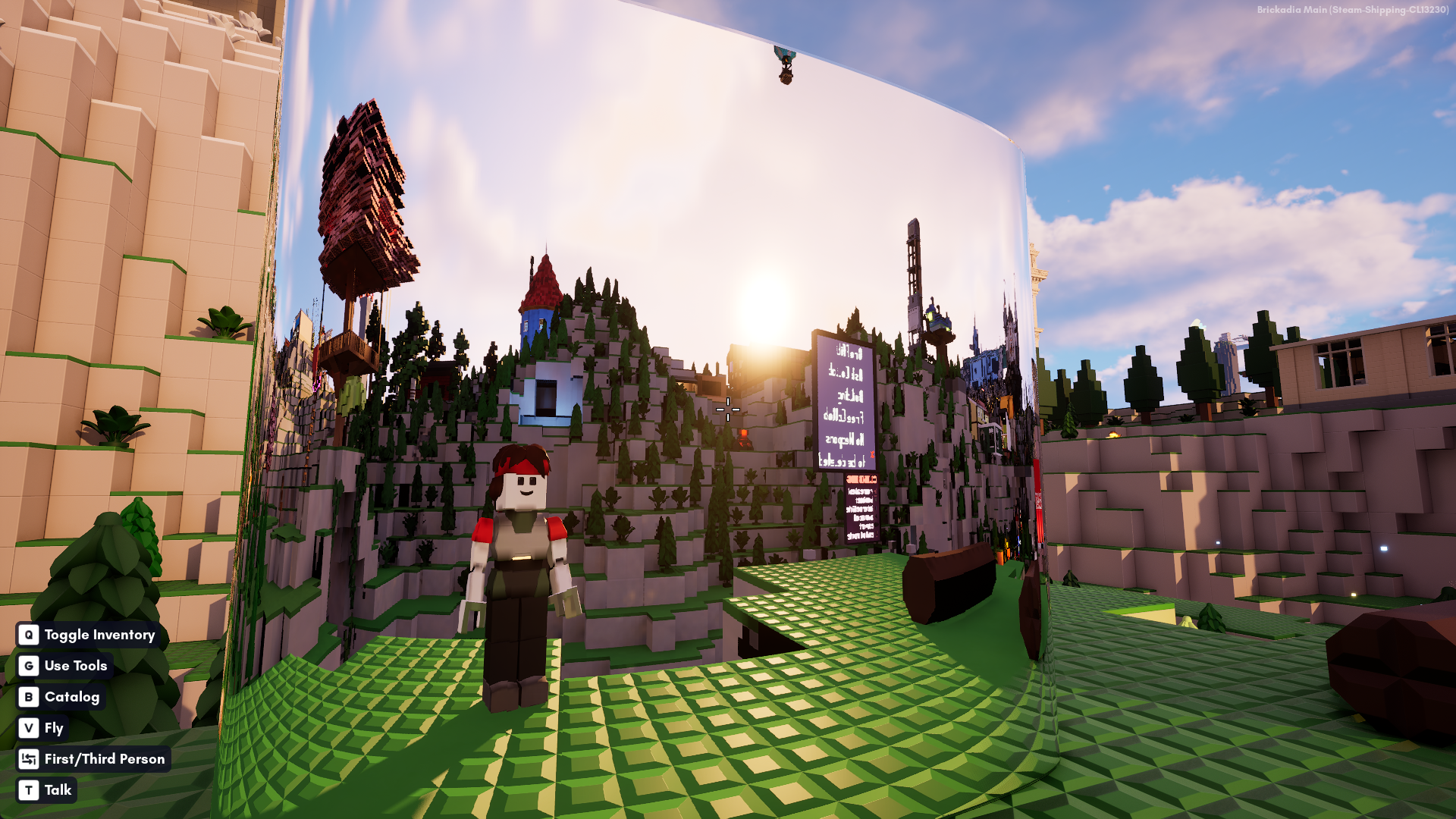
Characters are finally present in the ray tracing scene, and the quality of ray traced reflections is also vastly improved with the new engine version.
We've fixed replication of sleeping object positions. No more will you load into a server, approach an object, only to learn that it did in fact not exist at that location, and see your character teleport 50 studs to the side.
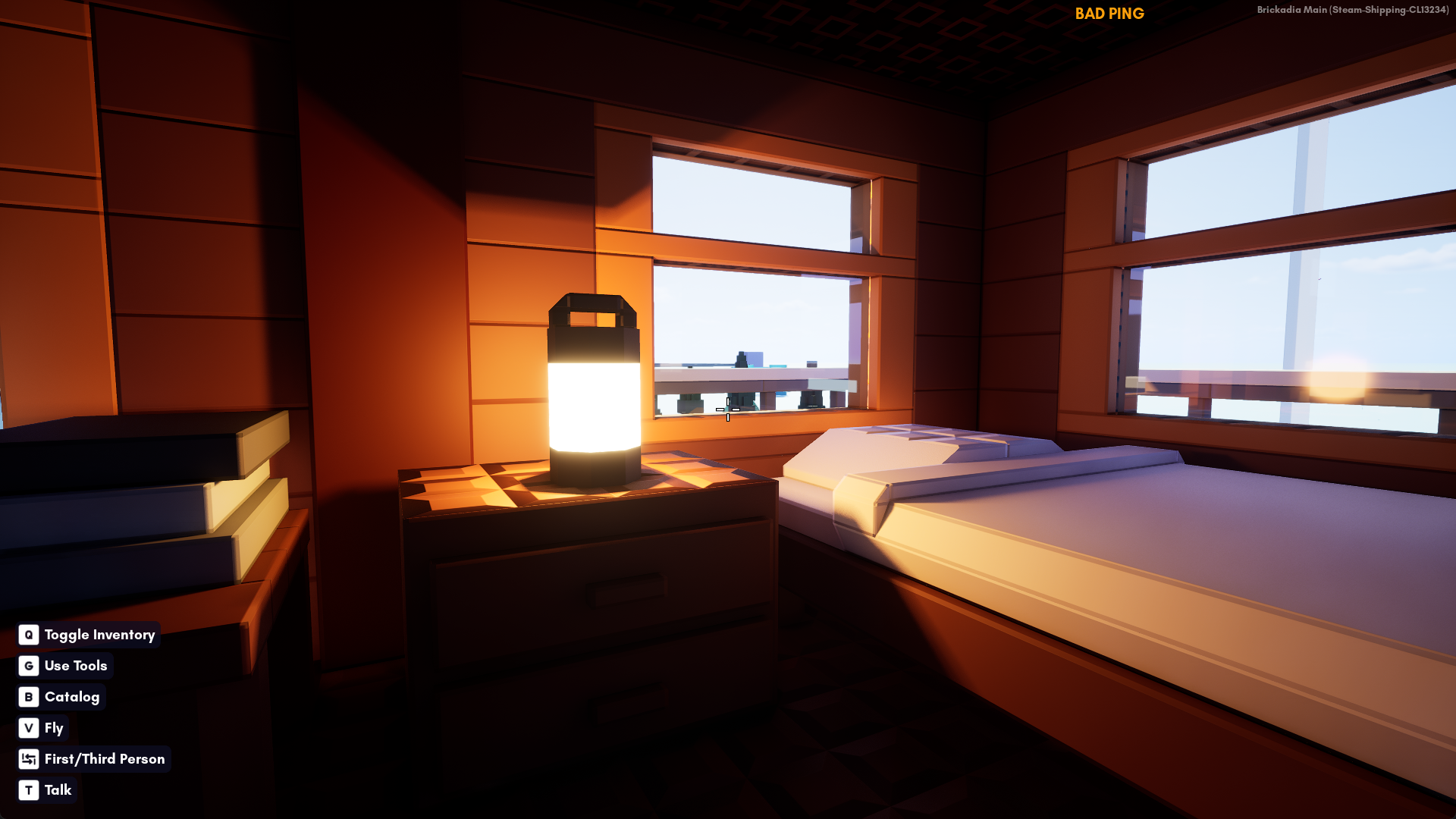
We've added a network lag indicator that shows up if your average latency is too high or the server hasn't sent any message at all within a short time frame. There's also a similar warning for getting close to maxing out your system VRAM.
...And more.
There is so much else that we could have covered, but we have to get back to work! If you want to see further highlights, we highly recommend joining our Discord to get the latest and greatest news in one place.
Thanks for reading! Stay tuned.